
-
How can you access a value from an attribute?
How can you access a value from an attribute?


Log In to reply.

Popular Salesforce Blogs

Salesforce Lightning Dialer | Boost Sales productivity by making hassle-free calls
In spite of the rapid and continuous advancement in the realms of communication with new platforms and new channels mushrooming all around us, telephones still…


Salesforce to Salesforce SSO using Authentication Provider
As many users work on multiple Salesforce instances and it is very difficult to memorize password for each, therefore we connect multiple Orgs together so…


What Is Data Loader In Salesforce and How To Use It?
Data Loader Overview Salesforce Data Loader is an instrument given by deals power to perform the following operation on the information. By utilizing Salesforce information…

Popular Salesforce Videos
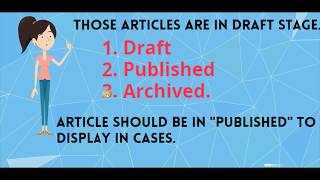
Knowledge Base in Salesforce Lightning
By end of this video, we will be able to 1. Understand what is knowledge base. 2. Why we need to use Knowledge base 3.…


Welcome to the New World of Data Collection | Salesforce
Secure data collection built for your needs. With FormAssembly, your organization can streamline outdated processes and power important business initiatives. Click the link below to…


Dreamforce To You 2020 - All Set To Happen
The world has changed, and so has Dreamforce. Instead of everyone coming to Dreamforce, Dreamforce is coming to you — to your kitchen, to your…