
-
What is a typical use case flags for Account-Specific hours in Salesforce?
What is a typical use case flags for Account-Specific hours in Salesforce?



Log In to reply.

Popular Salesforce Blogs

Salesforce Training Resources: Where to Start?
Since there are many resources available for Salesforce training, we sometimes do not know where to start. If you want to learn Salesforce from scratch…


Salesforce Admin or Salesforce Consultant?
Salesforce is a tool that can literally revolutionize your business. For salespeople, it’s a turbocharged tool that manages the entire process from lead to closed…


Drive Financial Growth with Sage Intacct Consulting benefits
Businesses that use the right solutions will stay ahead of the curve in a constantly shifting commercial environment. This is where Sage Intacct, a financial…

Popular Salesforce Videos
Salesforce Platform Developer 1 Certification Training | Salesforce Training Video
This Salesforce Training Video will give an overview of Salesforce Certification Training by explaining what is Salesforce, Why we need Salesforce, Salesforce Career opportunities and…
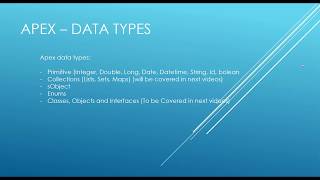
Salesforce Apex Tutorial: Data Types
In this lesson, we are covering Salesforce Apex Data Types and we are covering primitive data types.

What is CRM and How Does it Work? | Salesforce
What is CRM (Customer Relationship Management) and how does CRM work? Watch this video to see how CRM helps you keep track of everything about…
