
-
Salesforce Inline visualforce page with standard page layout Contact and child attachment
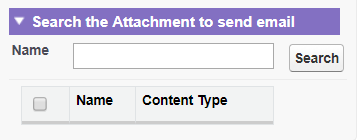
Creating a visualforce page with two RadioButton Attachment & Note when we check Attachment then show two input text Name & ContentType with a search Button .when we check Note then show Only One InputText Name with a search Button.
when we are enter something text like (ac then return acem,acee,acee, all matching name use like %) and click search Botton then show all matching name with checkbox every record .and also we check selectAll record.


Log In to reply.

Popular Salesforce Blogs

Triggers in Salesforce - All You Need to Know
Trigger A trigger is a piece of code that runs before and after a record in the force.com database is inserted, updated, or deleted. Triggers…


Formula Fields and Roll-up Summary Fields Usage in Salesforce
Here We are going to discuss “Formula Fields and Roll-Up Summary in Salesforce”. Let's talk beforehand about my blog. Formula field: We use Formula Fields…


Salesforce Mobile App Development: Integrating Third-Party Apps and Services
Introduction Productivity while on the road is essential in today's hectic work environment. In order to empower its users, Salesforce, a top customer relationship management…

Popular Salesforce Videos

Salesforce Integration: How to Do it the Best Way?
Once you deploy Salesforce solutions to improve the operation of your enterprise, your next logical step is to enhance the overall functionalities by integrating Salesforce…

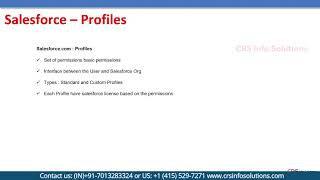
Learn About How to Set Profiles in Salesforce?
Learn about Profiles in Salesforce and types of profiles, Standard and Custom Profiles. Watch this video and do let us know in the comment section…


Write Tableau CRM Data to Salesforce Objects
Leverage the power of fully native analytics in your CRM workflows with Tableau CRM. Salesforce CRM users can work more efficiently, spot trends, predict outcomes,…
