
-
Salesforce Inline visualforce page with standard page layout Contact and child attachment
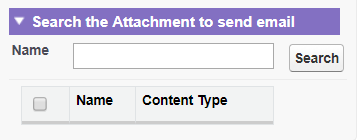
Creating a visualforce page with two RadioButton Attachment & Note when we check Attachment then show two input text Name & ContentType with a search Button .when we check Note then show Only One InputText Name with a search Button.
when we are enter something text like (ac then return acem,acee,acee, all matching name use like %) and click search Botton then show all matching name with checkbox every record .and also we check selectAll record.


Log In to reply.

Popular Salesforce Blogs

Salesforce Leads vs. Contacts: Everything You Need to Know
Understanding the difference between Leads and Contacts is imperative for marketing strategies and effective sales. These two objectives influence tracking prospects, managing relationships, and closing…


How To Implement JQuery AutoComplete
JQuery Autocomplete enhances the UI functionality of visualforce page, when a user types in a field it quickly find and select from a pre-populated list…


A Brief Guide to Set up Your Custom Domain for Salesforce Community Cloud
There are a handful of ways to set up a custom domain in. But before you get there, setting up your domain name is considered…

Popular Salesforce Videos
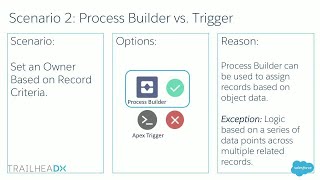
Process Builder or Apex Triggers - Choosing Between Salesforce Automation Tools
The Salesforce Platform offers several means to operate in the background: Process Builder, Triggers, Flow, Workflows, and more. With so many robust options, it can…

How To Set Up Gmail With Salesforce | Salesforce Development Tutorial
Learn how to set up Gmail with Salesforce. The following points will be covered in this tutorial - 1. Lightning for Gmail Get a brief…

Everything New in Salesforce Developer Tools
Your productivity starts and ends with the tools you use. Learn how Salesforce Developer Tooling can help you collaborate more effectively with your whole team.…
