
-
role
hey guys below is my query but before plz anwer me step wise detail how to setup role heirarcry in sharing setting. we have role as heirarcry manger(profile is manger) below that role is team lead and below role is executive team lead and executive has same profile user. team lead and executive can create or update record in assign object.manger can create /update/delete record in assign object.mangaer can see all record of team lead and executive.team lead can see only high priority object of executive,not all record owned by executive.executive can see only assign object record. plz guide me detail step wise and by using sharing setting

Log In to reply.

Popular Salesforce Blogs

What are Rendered, Rerender, RenderAs Attributes? | Salesforce Guide
Let us learn about Rendered, ReRender, and RenderAs attributes: Rendered This attribute is used to display a particular field or section based on Boolean value.…


Migrating to Salesforce Marketing Cloud with Zero Downtime
Enterprise marketing relies heavily on continuous data processing. Modern brands run campaigns around the clock across global time zones. A sudden halt in customer communication…


How to Freeze and Deactivate User Accounts in Salesforce
Introduction Here we are going to learn about how to freeze the user and deactivate the user. If your employee left your company then you…

Popular Salesforce Videos
Pros & Cons of Lightning Component vs. 3rd party frameworks in Salesforce UI development
Nikita drops by to share his invaluable experience of using popular 3rd party frameworks in Salesforce. http://media.blubrry.com/salesforceway/audio.xmcdn.com/group42/M05/25/57/wKgJ81rXk6XjaZIAAU_I_KtprFM998.m4a


Salesforce Anywhere: Technology Enabling the All-Digital, Work-From-Anywhere World
While companies, governments and organizations are slowly returning to their offices, the COVID-19 pandemic has changed the future of work forever. In fact, nearly 70…

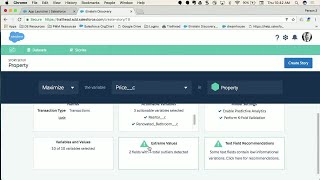
Add Intelligence to Any Salesforce App with Einstein Discovery
Bring intelligence in the context on any Force.com app thanks to the power of Einstein Data Discovery. Any Salesforce Admin or Developer can add in…
