
-
Please clear below scenario in Salesforce
Create an object named as “Flipkart” and create the below fields:
1. Item number
2. Item name
3. Price
4. Customer Name (Lookup to Account)
5. Customer Email
6. Customer Phone
7. PO Status (Order Placed, In Transit, Shipped)
8. PO Send (checkbox)Create 20 records for the above object and write a batch which fetch all the details where PO Status is equal to Shipped and send an email to those customers where the email is not blank, in case if you didn’t found an email in Customer Email field check in related account email(create an email field in Account object) and send an email?

Log In to reply.

Popular Salesforce Blogs

A Quick Guide to Salesforce AppExchange
What is AppExchange? AppExchange is Salesforce’s online marketplace from where you can download and install more than 4.000 solutions for your organization. The wide variety…


Introducing Salesforce Blockchain: World’s No.1 CRM Moves into Blockchain with its own Platform
Salesforce just got done with TrailheaDX 2019 this weekend. Algoworks was at TDX19 too, and oh boy, did we have fun! There was a bunch…


Guide to Modify Opportunity Stages of an Existing Sales Process in Salesforce
With changing times - How we engage with our customers change and also the way we go about our business processes tend to change. When…

Popular Salesforce Videos

Salesforce FY19 Year in Review
FY19 was our best year yet. With new partnerships and friends, we blazed new trails and continued creating a better future, together. Thank you to…

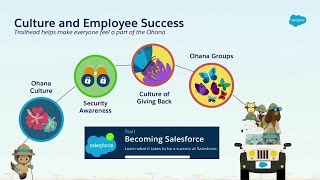
Salesforce on Salesforce: How Salesforce Uses Trailhead to Drive Enablement
With Trailhead, Salesforce is transforming the learning experience for our employees at every step of their career journey. Join us to learn tips, tricks and…


5 Facts You Didn't Know About Salesforce
In this video, we have tried to share some amazing facts about Salesforce, the world leader in CRM, that you didn't know about so that…