
-
In Salesforce, We use XML file in Visualforce pages. What does this mean?
XML file in VisualForce Page

Log In to reply.

Popular Salesforce Blogs
Top Zoho Consulting Services in Australia & Dubai
Zoho Consulting Services in Australia & Dubai: Find the Right Partner for Your Business In today’s fast-paced digital world, businesses need powerful tools to stay…


What are Salesforce Flows? | All You Need to Know
Salesforce Flows Salesforce Flow, formerly known as Visual Workflow, is a cloud-based automation tool provided by Salesforce. It allows users to create and automate business…


Create Dynamic Actions in Salesforce - Step-by-step Guide
Dynamic Actions are the actions that display the actions based on the criteria that you have provided. It means the actions will appear or disappear…

Popular Salesforce Videos
Service Work Order with Salesforce CRM Cases
In this video, Steve Campisi explains how the Service Work Order works with Salesforce CRM Cases. Watch this video and learn all about Service Work…

Lightning Component In Salesforce
In this video, we are going to look into: Lightning Component Lightning Component features Types of Lightning Component Lightning Component bundle Watch this video and…

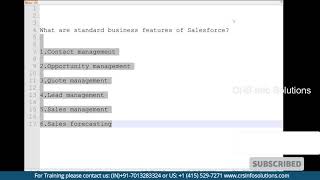
Explain Standard Business Features of Salesforce?
Standard business features of Salesforce are Contact Management, Opportunity Management, Lead Management, Quote Management, Sales Management and Sales Forecasting. Watch the video to learn all…
