
-
How to show related contacts under account in a Salesforce Visualforce page?
I'm displaying all accounts in a visual force page where each row is having a first column as a '+'(expands). On clicking of symbol i wants to show related contacts under the same account.When I click on symbol account columns should be displayed in single row only and contacts should come below.


Log In to reply.

Popular Salesforce Blogs

Top Salesforce Trends 2023 – A Guide of Growth for Businesses
As one of the best CRM solutions, Salesforce allows companies to create customer databases. It also streamlines operations. While many companies have benefitted from Salesforce consulting…


Top Features and Updates from Salesforce Winter’25 Release
Get ready to embrace the excitement of the Salesforce Winter '25 Release! This season's update is like the first snowfall, bringing a flurry of innovative…


5 Productivity Tips by Salesforce System Administrators
Salesforce is a highly transformative platform when used correctly. It has all the tools you need to build and optimize processes. But achieving productivity on…

Popular Salesforce Videos

How to Get Experience as a Fresher in Salesforce World? | The Shrey Sharma Show
Want to start your career in the Salesforce industry? Watch this video by Shrey and learn how you can get experience as a Fresher in…

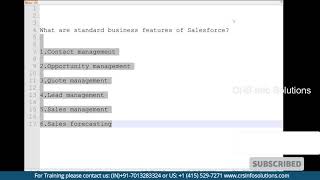
Explain Standard Business Features of Salesforce?
Standard business features of Salesforce are Contact Management, Opportunity Management, Lead Management, Quote Management, Sales Management and Sales Forecasting. Watch the video to learn all…


Salesforce Introduced Next Generation Of Tableau Cloud
Salesforce added a new member to its fleet of the cloud for customers: Salesforce Tableau Cloud. The Tableau Cloud developed will empower the customers to…
