
-
How to refresh a Lightning Component after Success in Salesforce?
How to refresh a Lightning Component after Success in Salesforce?


Log In to reply.

Popular Salesforce Blogs

A Complete Introduction to Heroku
There are still minutes when I specify Heroku just to be met with a blank gaze. Which is really awful on the grounds that Heroku…


The importance of Customer Journey Mapping and Salesforce Marketing Cloud Solutions
Salesforce Marketing Cloud Journey Builder – Customer experience is the next big marketing race and for good reasons! Companies have started to recognize the importance…


Salesforce PDO Partner Program 2021: A Guide
Salesforce AppExchange has been a huge hit across its 15-year lifespan and is the key differentiator for Salesforce when it comes to the global CRM…

Popular Salesforce Videos

Get Started with Salesforce Application Security
Let the right users in at the right time, and give them access to the right data. With the growth of a mobile and remote…

What are Apps and Tabs in Salesforce?
In this video, Shrey is not only teaching but also demonstrating to you "What are Apps and Tabs in Salesforce?" You will be learning: 1.…

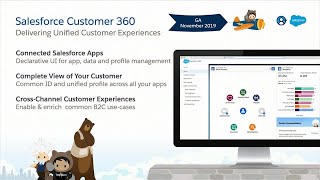
How to Integrate Commerce, Marketing and Service Using Salesforce Customer 360
Developers, Integrators, Admins and Architects all work together to deliver projects that span multiple Salesforce products. Salesforce is making it simpler by providing native integration…
