
-
how can we avoid add product selection screen while creating opportunity in Salesforce?
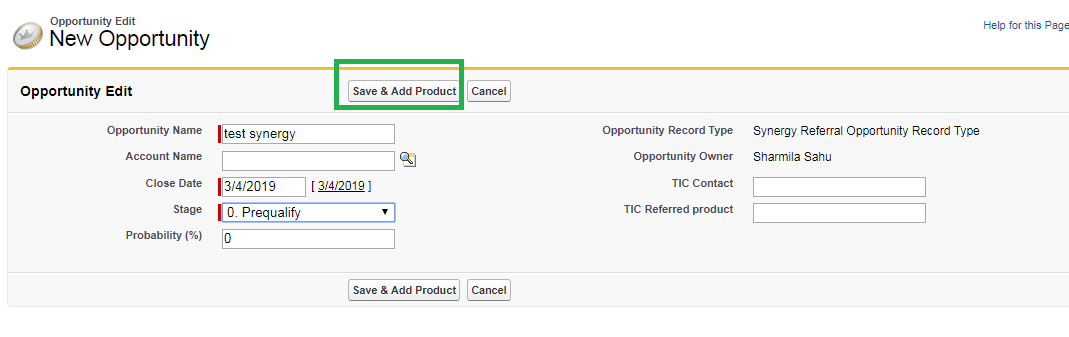
We have one requirement, for one specific new record type in Opportunity, users do not want to see Price book selection and Add Product to Opportunity selection while creating Opp.
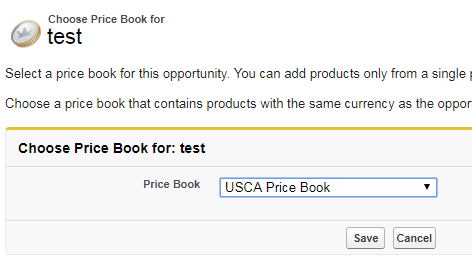
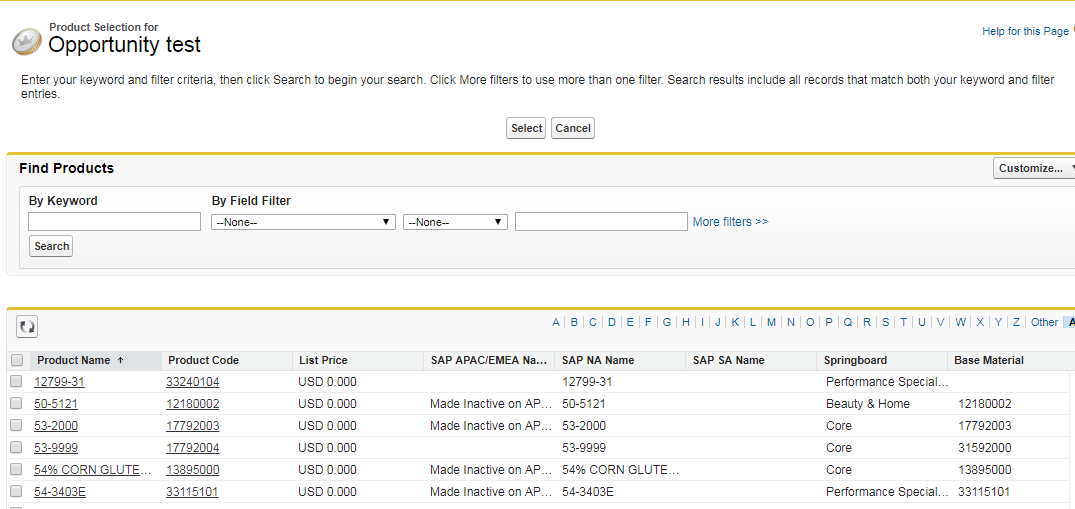
I was able to avoid Price book selection screen through Process Builder by setting default value of price book for that record type. But Add Products to Opp screen is still coming Is there any way to remove it from particular Opp record type.

Price Book Selection Screen:

Add Product Screen after this:
”‹”‹”‹”‹”‹”‹”‹

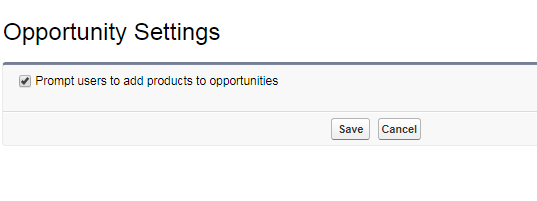
This is coming from Opp Setting and we cannot disable this as it will be applicable for all record types and we do not want that. These 2 screens should not come just for one record type.
Log In to reply.

Popular Salesforce Blogs

Must-Have Tools For Start-ups | Salesforce Guide
Starting your own startup business can be a daunting experience, especially if you’re still at a delicate stage. Everything needs to be error-free, as a…


Guide to Salesforce Service Cloud Implementation
Delivering exceptional customer service is no longer optional. Customers expect quick responses, personalized interactions, and support across multiple channels. This is where Salesforce Service Cloud…


The ABC's of Salesforce - All you Need to Know
When you’re new to Salesforce, it’s easy to get lost in the lingo. There’s just so much information to digest that it can be overwhelming…

Popular Salesforce Videos
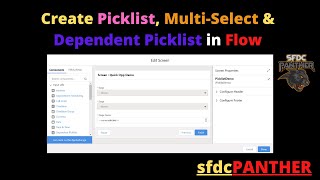
Picklist fields in Salesforce Flow
In this video, we will talk about how to create picklist fields in Salesforce Screen flow. Below is the timestamp for your reference. Input Elements…


How Salesforce Industries can Help Organizations to Save Millions?
Salesforce Industries i.e Vlocity empowers businesses with powerful platforms to boost collaboration and makes it easy to deliver great customer experiences. It provides tailored solutions…

Getting Turn by Turn Directions Between Scheduled Events | Salesforce Maps Mobile
Watch this video to learn how to get turn-by-turn directions between scheduled events in Salesforce Maps Mobile. 00:00 - Introduction 00:19 - Access your Schedule…
Popular Salesforce Infographics

The Timeline: 20 Years of Salesforce
Salesforce completed 20 years recently. The celebrations were grand with thousands of employees and trailblazers and Ohana family joining in. The world’s no. 1 CRM…


How Building Apps on Salesforce Has Tremendous ROI
The pressure that businesses today are under to reduce costs, improve agility, and deliver better results is no joke. Couple that with rapidly evolving technology…


DataArchiva - A Native Data Archiving App for Salesforce using Big Objects
A Native Data Archiving app for Salesforce using Big Objects. With Auto-scheduler, Custom Archiving, Encryption, Integrity and Restore features, DataArchiva saves 85%+ storage costs, improves…
