

Landing Page Login Form And Save Data In Salesforce Data Extensions

As all we know, Salesforce Marketing Cloud is a tool that provides digital marketing automation and services and analytics software. And Landing page is an important part of it. In Email Studio, Landing Pages provide an alternative interface to the microsites feature.
Here I am sharing my knowledge with all, how to save data in Data extensions using the Login form created on the Landing page with the help of Ampscript.
Starting this topic there is a basic knowledge of amp script, for that also I have written a blog for AmpScript. And for more information, visit on amp script guide Link.
 Don't forget to check out: Salesforce Marketing Cloud: AmpScript Basics
Ampscript guide Link: https://ampscript.guide/introduction/
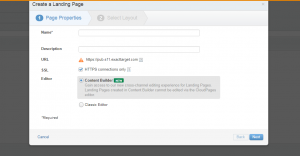
So for creating a landing page we should follow steps: from the right top corner create a landing page.
- Go to Web Studio and create a collection, next open the collection
- Provide a Landing Page Name.
- Select the layout you want to use.
- And Paste the code mentioned below, and change the Data extension name in code by the name you created in your organization.
Code:
%%[
IF RequestParameter("submitted")==true THEN
       Var @insert
       SET @firstname = RequestParameter("First Name")
       SET @lastname = RequestParameter("Last Name")
       SET @phone = RequestParameter("Phone")
       SET @email = RequestParameter("Email")
       SET @rating = RequestParameter("Rating")
       SET @insert = InsertData("Data_Extn_Name",
       "First Name",@firstname,
       "Last Name",@lastname,
       "Phone",@phone,
       "Email", @email)
]%%
%%[ ELSE ]%%
<table style="padding: 20px;"><tr><td>
     <h2>Please Fill the form:</h2>
      <form action="%%=RequestParameter('PAGEURL')=%%" method="post">
       <label>First Name: </label><input type="text" name="firstname" required="false"><br>
         <label>Last Name: </label><input type="text" name="lastname" required="false"><br>
         <label>Email: </label><input type="email" name="email" required="true"><br>
         <label>Phone: </label><input type="phone" name="phone" required="false"><br
         <input name="submitted" type="hidden" value="true"><br>
         <input type="submit" value="Submit">
      </form>
</td></tr></table>
%%=v(@insert)=%%
%%[ ENDIF ]%%
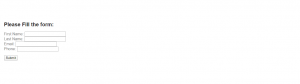
You can see how it looks like on the landing page:
Check out this amazing video here: Salesforce Tutorial - Creating Custom Object
Function - InsertData:-
InsertData function inserts a row in a Data Extension with the specified column name and value pairs. It returns the number of rows inserted by the operation.
Link for AmpScript Guide Documentation: https://ampscript.guide/insertdata/
Now there is another scenario comes, how to save data in two different data extensions based on a particular field value, here I am taking rating field from DE,
I am going to show you how to save data in different Data extensions based on ratings.
%%[
IF RequestParameter("submitted")==true THEN
       Var @insert
       SET @firstname = RequestParameter("First Name")
       SET @lastname = RequestParameter("Last Name")
       SET @phone = RequestParameter("Phone")
       SET @email = RequestParameter("Email")
       SET @rating = RequestParameter("Rating")
]%%
  %%[    [IF @rating >=0 AND @rating <= 5 THEN]
   [SET @insert = InsertData("Data_Extn_Name1",
       "First Name",@firstname,
       "Last Name",@lastname,
       "Phone",@phone,
       "Email", @email,
       "Rating",@rating) ]
       [ELSEIF @rating > 5 AND @rating <= 10 THEN]
       [SET @insert = InsertData("Data_Extn_Name2",
       "First Name",@firstname,
       "Last Name",@lastname,
       "Phone",@phone,
       "Email", @email,
       "Rating",@rating)
       [ENDIF]
]%%
%%[ ELSE ]%%
<table style="padding: 20px;"><tr><td>
     <h2>Please Fill the form:</h2>
      <form action="%%=RequestParameter('PAGEURL')=%%" method="post">
       <label>First Name: </label><input type="text" name="firstname" required="false"><br>
         <label>Last Name: </label><input type="text" name="lastname" required="false"><br>
         <label>Email: </label><input type="email" name="email" required="true"><br>
         <label>Phone: </label><input type="phone" name="phone" required="false"><br>
        <label>Rating: </label><input type="number" name="rating" required="false"><br>
         <input name="submitted" type="hidden" value="true"><br>
         <input type="submit" value="Submit">
      </form>
</td></tr></table>
 %%=v(@insert)=%%
%%[ ENDIF ]%%


