Insert and Update multiple custom metadata records through Salesforce Apex.

Hi Folks, as we all know Salesforce has limitations while performing any kind of DML Operation on custom metadata (.mdt) objects records. Even though there is a limitation we have a way to create and update custom metadata records using Apex.
 Don’t forget to check out: Salesforce Apex Trigger – Child to Parent Trigger using Map
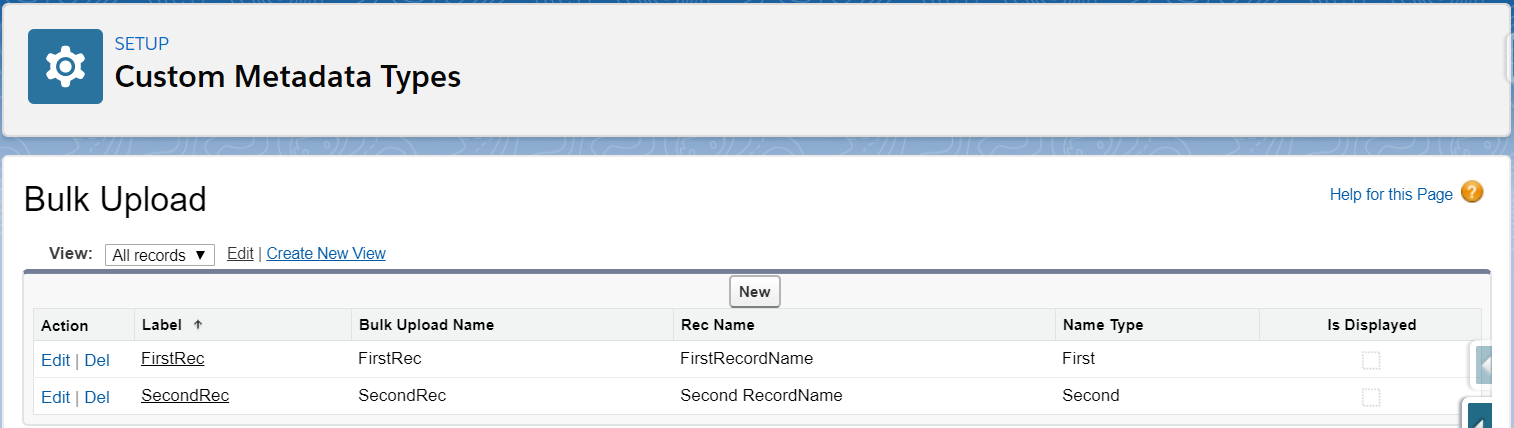
Let us begin with one custom Metadata Object sample for which we will be creating and updating records using apex. Below is the image for one such custom metadata.
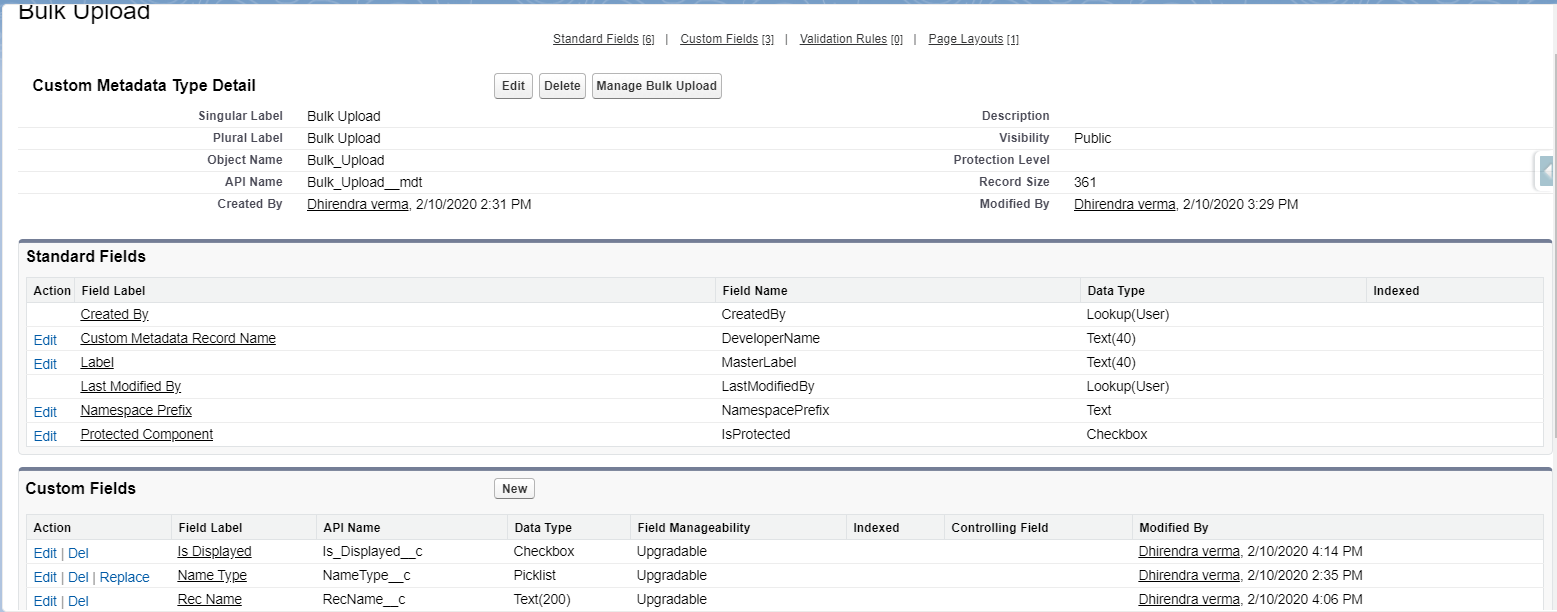
As shown in the image we have our sample custom metadata object with three Custom Fields now we will be creating multiple records for custom metadata by providing values for the label, along with the three custom fields on the object using Apex. You can use the below-provided Apex Class to perform the insertion and update of custom metadata records.
/**
 *@Desc: A class that can be used to insert and update multiple custom metadata records in a single transaction.
 **/
public class BulkUploadMetadata {
    /**
     *@desc: A method to insert multiple records for custom metadata object in a single go.
	 **/
    public void insertbulkMetadata(){
        try{
            Metadata.DeployContainer mdContainer = new Metadata.DeployContainer();
            String nameSpacePrefix =''; // if the metadata belongs to any package than include the namespace.
            //First Record
            Metadata.CustomMetadata firstMetadataRec =  new Metadata.CustomMetadata();
            firstMetadataRec.fullName = nameSpacePrefix + 'Bulk_Upload__mdt.FirstRec';
            firstMetadataRec.label = 'FirstRec';
            //adding values to fields
            Metadata.CustomMetadataValue customField1 = new Metadata.CustomMetadataValue();
            customField1.field = 'RecName__c';
            customField1.value = 'FirstRecordName';
            firstMetadataRec.values.add(customField1);
            Metadata.CustomMetadataValue customField2 = new Metadata.CustomMetadataValue();
            customField2.field = 'Is_Displayed__c';
            customField2.value = True;
            firstMetadataRec.values.add(customField2);
            Metadata.CustomMetadataValue customField3 = new Metadata.CustomMetadataValue();
            customField3.field = 'NameType__c';
            customField3.value = 'First';
            firstMetadataRec.values.add(customField3);
            mdContainer.addMetadata(firstMetadataRec);  //adding record container that will be used to deploy the records in custom metadata.
            //Second Record
            Metadata.CustomMetadata secondMetadataRec =  new Metadata.CustomMetadata();
            secondMetadataRec.fullName = nameSpacePrefix + 'Bulk_Upload__mdt.SecondRec';
            secondMetadataRec.label = 'SecondRec';
            //adding values to fields
            Metadata.CustomMetadataValue secondCustomField = new Metadata.CustomMetadataValue();
            secondCustomField.field = 'Is_Displayed__c';
            secondCustomField.value = True;
            secondMetadataRec.values.add(secondCustomField);
            Metadata.CustomMetadataValue secondCustomField2 = new Metadata.CustomMetadataValue();
            secondCustomField2.field = 'NameType__c';
            secondCustomField2.value = 'Second';
            secondMetadataRec.values.add(secondCustomField2);
            Metadata.CustomMetadataValue secondCustomField3 = new Metadata.CustomMetadataValue();
            secondCustomField3.field = 'RecName__c';
            secondCustomField3.value = 'Second RecordName';
            secondMetadataRec.values.add(secondCustomField3);
            mdContainer.addMetadata(secondMetadataRec);
            system.debug('mdContainer**'+mdContainer);
            // Enqueue custom metadata deployment
            // jobId is the deployment ID
            Id jobId = Metadata.Operations.enqueueDeployment(mdContainer, null);
            system.debug('jobId***'+jobId);
        }
        catch(Exception ex){
            //System.assert(false,ex.getMessage());
            system.debug('Error while creating modifying custom metadata.');
        }
    }
    /**
     *@desc: A method to bulk update the custom metadata records .
     **/
    public void updateBulkMetadata(){
        try{
            Metadata.DeployContainer mdContainer = new Metadata.DeployContainer();
            for(Bulk_Upload__mdt objMetadata :[SELECT Id, DeveloperName,
                                           		  MasterLabel, Label, RecName__c,
                                           		  NameType__c, Is_Displayed__c
                                           FROM Bulk_Upload__mdt]){
                Metadata.CustomMetadata metadataRec =  new Metadata.CustomMetadata();
                metadataRec.fullName = 'Bulk_Upload__mdt.'+objMetadata.DeveloperName;
                metadataRec.label = objMetadata.MasterLabel;
                Metadata.CustomMetadataValue customFieldtoUpdate = new Metadata.CustomMetadataValue();
                customFieldtoUpdate.field = 'Is_Displayed__c';
                customFieldtoUpdate.value = false;
                metadataRec.values.add(customFieldtoUpdate);
                mdContainer.addMetadata(metadataRec);
            }
            system.debug('mdContainer**'+mdContainer);
            // Enqueue custom metadata deployment
            // jobId is the deployment ID
            Id jobId = Metadata.Operations.enqueueDeployment(mdContainer, null);
            system.debug('jobId***'+jobId);
        }catch(exception ex){
            system.debug('exception '+ex.getMessage());
        }
    }
}
a. Custom Metadata Record Creation:
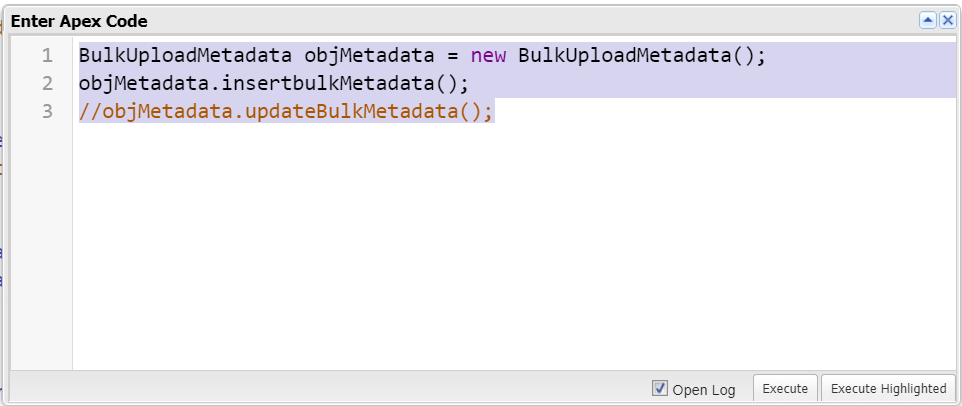
In order to create new records we need to execute the insertBulkMetadata() method using the anonymous debug block from developer console application as shown in the below image:
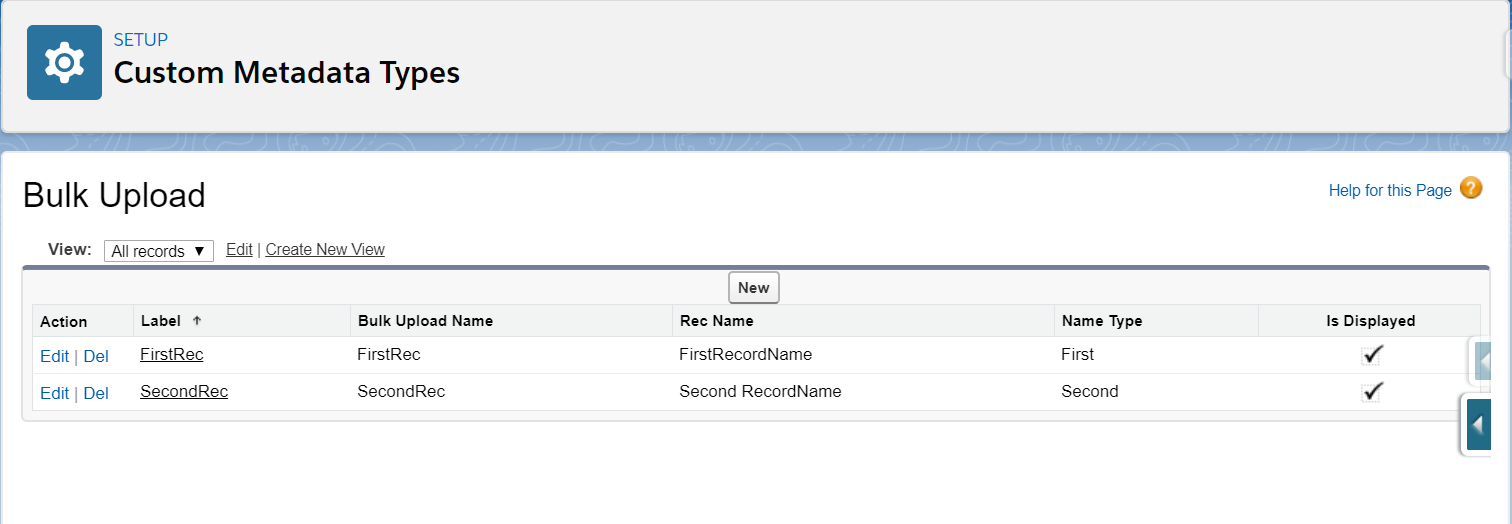
Once the above-highlighted code snippet is executed the two new records in the custom metadata object will be created as shown in the below image.
b. Record Update:
We can also update the same inserted records using updateBulkMetadata() from the above-provided Apex Class. In case of an update, we will uncheck the "is Displayed" field from the records. In order to perform updating of records, we need to execute the following code snippet in the apex debug anonymous block.
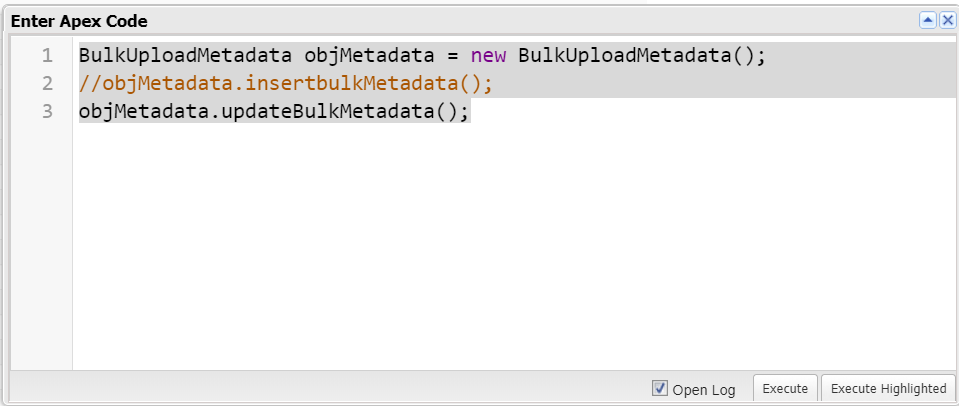
once the above-highlighted code snippet is executed all the existing records in the custom metadata object will be updated. The "Is Displayed" field value changes from true to false as shown in the below image.