Alert Triggers in Twilio!

What are Alert Triggers?
- Alert Triggers are nothing but alerts via webhook or mail you when number of error events cross the Trigger Value on a daily, monthly or yearly etc. For example :- You can fire webhook or mail to someone when 100th error comes in a day.
- And to add more it can also be fired for specific error code.
- You can create and update Alert Triggers through Twilio Console.
- When any error crosses the Trigger Value limit, trigger will fire and then Twilio hits an asynchronous HTTP request to the webhook URL in Alert Trigger.
- The request will hardly take a minute to fire.
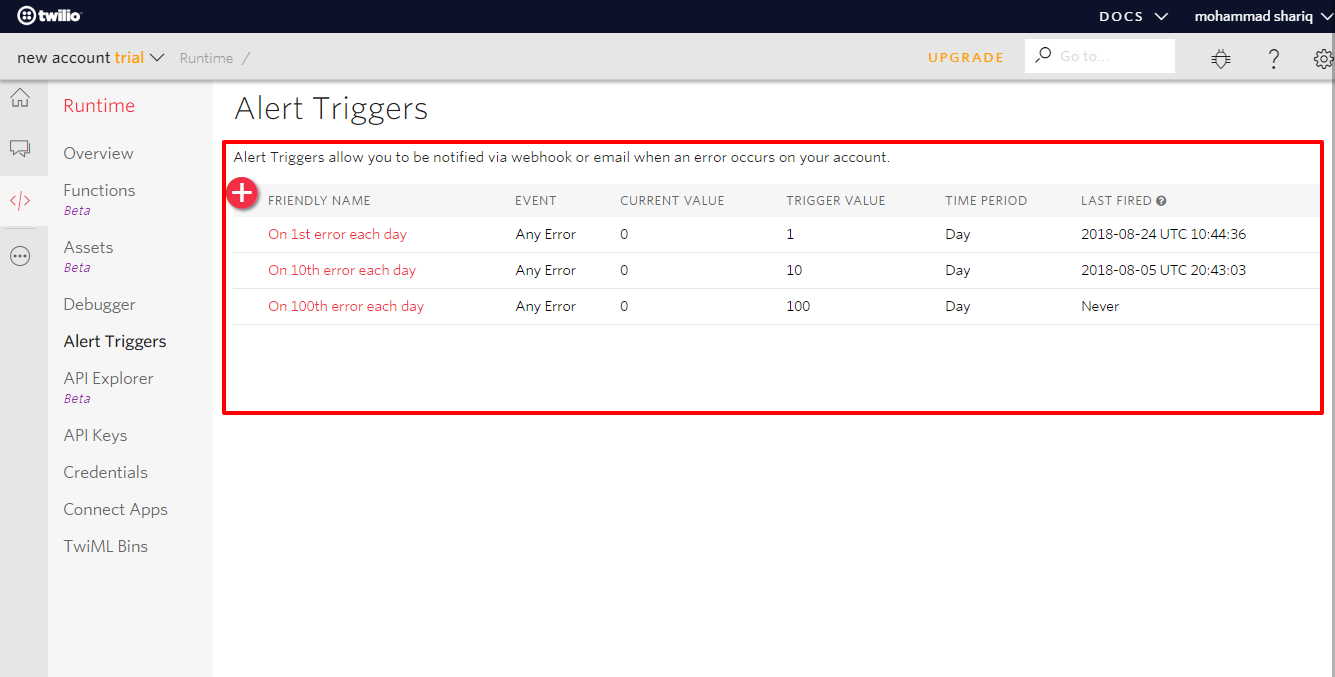
- Currently every new Twilio account has three inbuilt Alert Triggers by the name:-
- On 1st error each day - it mails to the Twilio admin mail id when 1st error occur in a day.
- On 10th error each day - it mails to the Twilio admin mail id when 10th error occur in a day.
- On 100th error each day - it mails to the Twilio admin mail id when 100th error occur in a day.

How to create Alert Triggers?
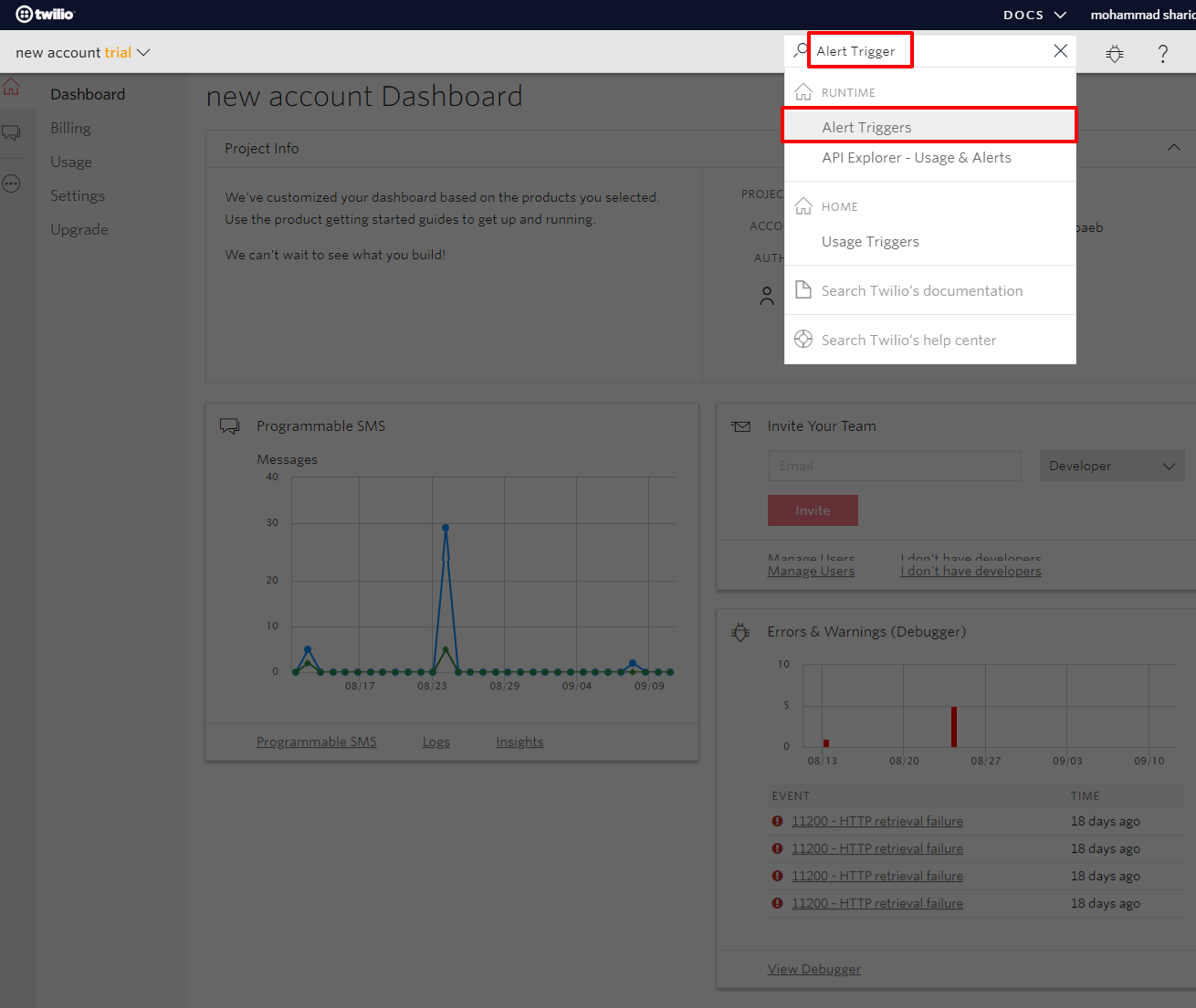
- First open your Twilio Console, and type Alert Triggers in search box on the right up of the window.

- Click on Alert Triggers in the drop down menu, then you will redirect to Alert Triggers list page as shown below:-
- Click on plus sign(+) button at the top. This will open a create page for Alert Triggers.
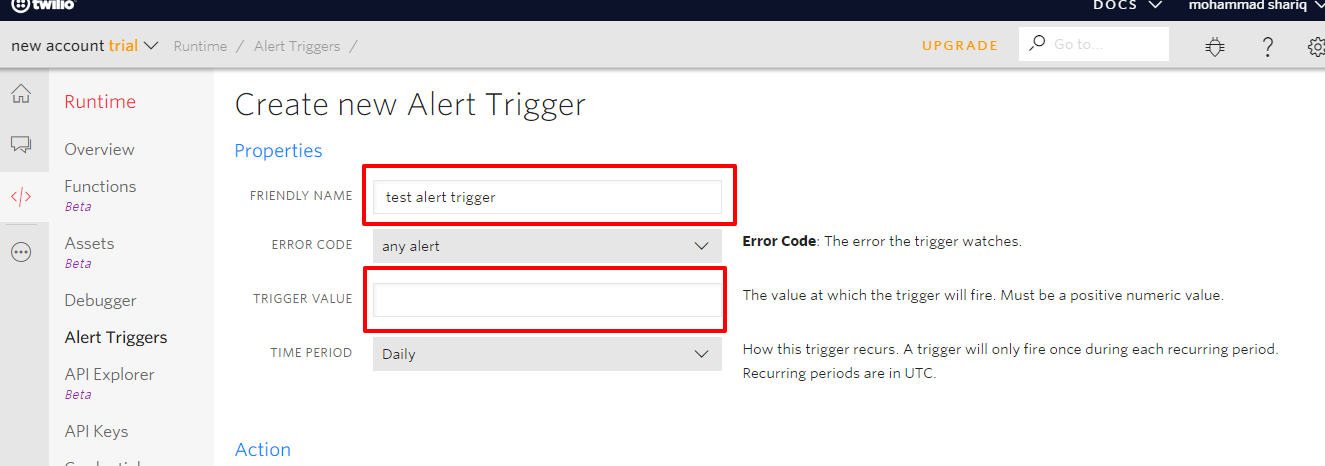
- Type the desired name in FRIENDLY NAME property and enter the positive number(the value at which trigger will run) in the TRIGGER VALUE property.

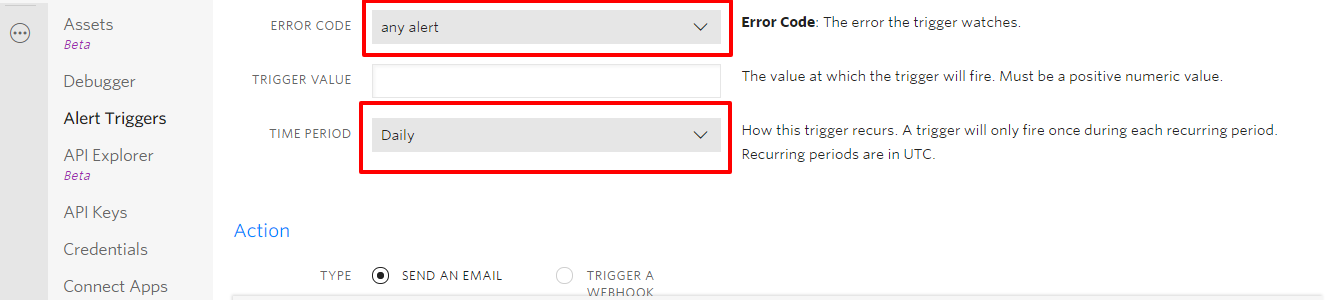
- As discussed earlier you can also fire trigger on specific error code. Different error codes at which trigger can run are :-
- any alert
- any error
- any warning
- 10001 - Account is not active
- 10002 - Trial account doesn't support this feature
- 10003 - Incoming call rejected due to inactive account
- You can fire triggers on the daily, monthly or early basis, you can set this by TIME PERIOD field.

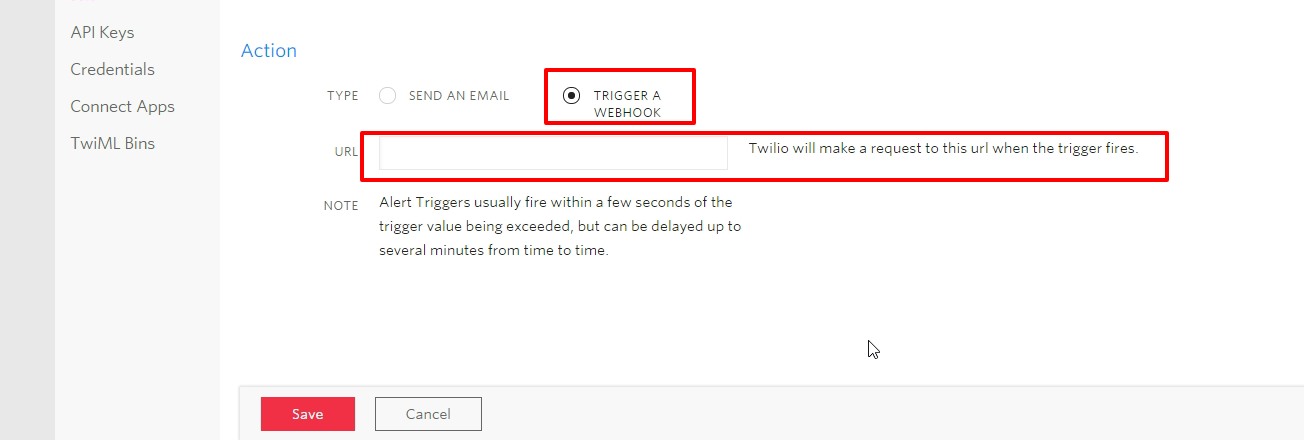
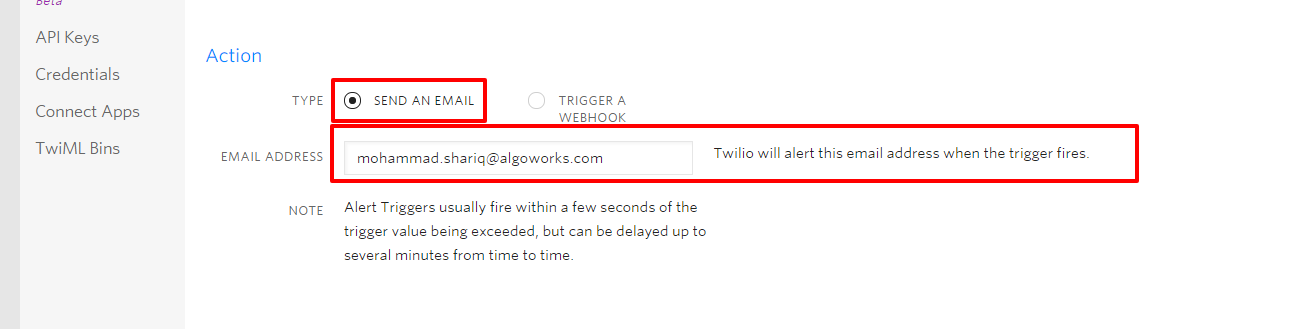
- Then select an action that is what will trigger do when it comes into action, they can either send a mail or fire a webhook.
- When you select SEND AN EMAIL, then it will ask for email address, to whom you want to mail and for TRIGGER A WEBHOOK, it will ask for the webhook URL, Twilio will make a request to this webhook URL.


- Note :- Normally Triggers are fired within seconds but it can be delayed up to several minutes.
- Then click on Save button to save the Alert Trigger.
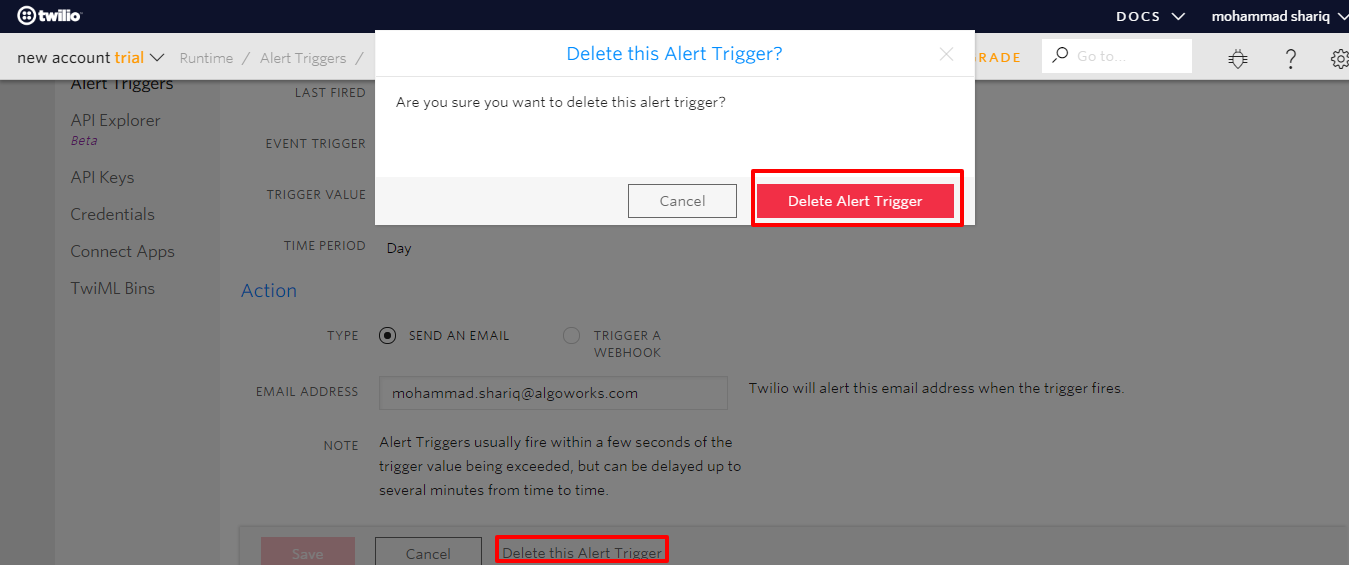
- To delete any trigger, go to that alert trigger's detail page then click Delete this Alert Trigger link side to Cancel button, it will open a confirmation pop up, then click Delete Alert Trigger button.