Toggle Side Panel

  • Home
  • Articles
    • All Articles
    • Blogs
    • Videos
    • Infographics
  • Consultants
    • Salesforce Product Expertise
      • Top Salesforce ConsultantsTop Salesforce Consultants
      • Marketing Cloud ConsultantsMarketing Cloud Consultants
      • Service Cloud ConsultantsService Cloud Consultants
      • Experience Cloud ConsultantsExperience Cloud Consultants
      • Analytics Cloud ConsultantsAnalytics Cloud Consultants
    • Salesforce Industry Expertise
      • Non-Profit Cloud ConsultantsNon-Profit Cloud Consultants
      • Financial Service Cloud ConsultantsFinancial Service Cloud Consultants
      • Health Cloud ConsultantsHealth Cloud Consultants
      • Commerce Cloud ConsultantsCommerce Cloud Consultants
      • Manufacturing Cloud ConsultantsManufacturing Cloud Consultants
    • Salesforce Experts by Location
      • USATop Salesforce Consultants in USA
      • IndiaTop Salesforce Consultants in India
      • AustraliaTop Salesforce Consultants in Australia
      • United KingdomTop Salesforce Consultants in UK
      • CanadaTop Salesforce Consultants in Canada
  • Webinars
  • Marketplace
  • Advertise With Us
  • Contact Us
  • Discussions
More options
    Sign in Sign up
    • Home
    • Articles
      • All Articles
      • Blogs
      • Videos
      • Infographics
    • Consultants
      • Salesforce Product Expertise
        • Top Salesforce ConsultantsTop Salesforce Consultants
        • Marketing Cloud ConsultantsMarketing Cloud Consultants
        • Service Cloud ConsultantsService Cloud Consultants
        • Experience Cloud ConsultantsExperience Cloud Consultants
        • Analytics Cloud ConsultantsAnalytics Cloud Consultants
      • Salesforce Industry Expertise
        • Non-Profit Cloud ConsultantsNon-Profit Cloud Consultants
        • Financial Service Cloud ConsultantsFinancial Service Cloud Consultants
        • Health Cloud ConsultantsHealth Cloud Consultants
        • Commerce Cloud ConsultantsCommerce Cloud Consultants
        • Manufacturing Cloud ConsultantsManufacturing Cloud Consultants
      • Salesforce Experts by Location
        • USATop Salesforce Consultants in USA
        • IndiaTop Salesforce Consultants in India
        • AustraliaTop Salesforce Consultants in Australia
        • United KingdomTop Salesforce Consultants in UK
        • CanadaTop Salesforce Consultants in Canada
    • Webinars
    • Marketplace
    • Advertise With Us
    • Contact Us
    • Discussions
    Close search

    Activity › Forums › Salesforce® Discussions › How to create a report that includes data from Accounts and a custom object in Salesforce?

    Tagged: Account, Custom Report, Custom Report Type, Matrix Report, Salesforce Certification, Salesforce Custom Object, Salesforce Interview Questions, Salesforce Quiz, Summary Report

    • Salesforce® Discussions

      How to create a report that includes data from Accounts and a custom object in Salesforce?

      Posted by Ashley on October 23, 2016 at 7:58 PM

      A user would like a report that includes data from Accounts and a custom object in Salesforce. What should the administrator do?

      1. Create a joined report and join accounts and the custom object
      2. Create a matrix report
      3. Define a new report type that includes accounts and the custom object
      4. Create a summary report
      Manpreet replied 8 years, 10 months ago 2 Members · 1 Reply
      • Account
      • Custom Report
      • Custom Report Type
      • Matrix Report
      • Salesforce Certification
      • Salesforce Custom Object
      • Salesforce Interview Questions
      • Salesforce Quiz
      • Summary Report
    • 1 Reply
    • Manpreet

      Member
      March 23, 2017 at 12:09 PM

      Hi Ashley,

      Option "Define a new report type that includes accounts and the custom object" would be Best.

      1.) From Setup, enter Report Types in the Quick Find box, then select Report Types.
      2.) Click New Custom Report Type.
      3.) Select the Primary Object for your custom report type.

      You can choose from all objects—even those you don't have permission to view. This lets you build report types for a variety of users.
      Once you save a report type, you can't change the primary object.
      If the primary object on a report type is a custom or external object, and that object is deleted, the report type and reports created from it are deleted.
      If you remove an object from a report type, all references to that object and its associated objects are removed from the reports and dashboards based on that type.
      4.) Enter the Report Type Label and the Report Type Name.
      The label can be up to 50 characters long. The name is used by the SOAP API.
      5.) Enter a description for your custom report type, up to 255 characters long.
      6.) Select the category in which you want to store the custom report type.

      Thanks.

    Log In to reply.

    • Public
    • All Members
    • My Connections
    • Only Me
    • Public
    • All Members
    • My Connections
    • Only Me
    • Public
    • All Members
    • My Connections
    • Only Me

    application solution

    Popular Salesforce Blogs

    LWC Interview Questions - Part 1

    Blog in Salesforce

    Important Questions Question 1: What is the basic structure of a Lightning Web Component in LWC? Answer: The basic structure of a Lightning Web Component…

    Aura Components, Authentication, Authorization, Basic structure, Best Practices
    SF Jul 12, 2023
    1,410  Views
    CRM Software

    How Does a CRM Software Add Value to Business? | Salesforce Guide

    Blog in Salesforce

    Everything around you is data in a massive amount. When you look around yourself, you find data and information in the tiniest things, words, facts,…

    Application, Boost Revenue, Build Brand Equity, Business, Business Growth
    Melonleaf Sep 27, 2021
    4,730  Views
    Steps to Install the Force.com IDE Plug-In in Eclipse

    Steps to Install the Salesforce Force.com IDE Plug-In in Eclipse

    Blog in Salesforce integration

    Force.com IDE can be installed into your existing Eclipse distribution. Following are the prerequisite to install Force.com IDE on your workstation : Don’t forget to check…

    Eclipse IDE, Force.com Debugger, Force.com IDE, Force.com Lightning Support., Force.com Plugin
    Ratnakar Mar 13, 2018
    44,937  Views

    Popular Salesforce Videos

    Which Objects are in the Salesforce Sales Cloud and Service Cloud?

    Which Objects are in the Salesforce Sales Cloud and Service Cloud?

    Video in Salesforce Cloud Platform

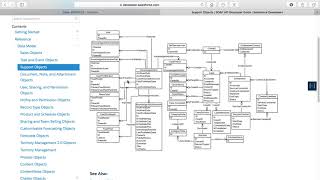
    In this video, We run through some of these diagrams. We'll also discuss some of the particular objects that you'll need to become familiar with as you…

    Salesforce Certifications, Salesforce Sales Cloud, Salesforce Service Cloud, Salesforce Training Videos, Salesforce Consultant
    Abhay Jan 29, 2018
    2,184  Views
    Campaign Management in Salesforce | Campaigns in Salesforce

    Campaign Management in Salesforce | Campaigns in Salesforce

    Video in Salesforce Stories

    Learn all about campaign management in Salesforce. Also, get a glimpse of how to create a campaign, add campaign members, how to use campaigns to…


    Salesforce Training, Salesforce Tutorial, Salesforce Video, Campaign Members, Salesforce Learning
    Algoworks Sep 7, 2021
    1,659  Views
    Algoworks attended Dreamfest 2019!

    Algoworks attended Dreamfest 2019!

    Video in Others

    Algoworks attended Dreamfest 2019 and we had the most enjoyable time ever! Fleetwood Mac played at the venue and the crowd went crazy, energy was…

    Salesforce Events, Salesforce Video, DF 19, Dreamforce 19, Dreamfest
    Algoworks Nov 29, 2019
    1,434  Views
    Footer Forcetalks logo

    support@forcetalks.com

    • twitterx

    Quick Links

    Advertise with Us

    Salesforce® Articles

    Dreamforce 2023

    Top Salesforce® Bloggers 2023

    Top Salesforce Consultants

    Get Listed

    Company

    Contact Us

    About Us

    Privacy Policy

    Terms & Conditions

    InsightHub

    Salesforce Blogs

    Salesforce Videos

    Salesforce Groups

    Salesforce Jobs

    © 2026 - Forcetalks ● All Rights Reserved

    Salesforce® is a trademark of Salesforce® Inc. No claim is made to the exclusive right to use “Salesforce”. Any services offered within the Forcetalks website/app are not sponsored or endorsed by Salesforce®.

    Try AuditMyCRM - It is a Salesforce CRM Audit tool which comprehensively scans your Salesforce org and gives you the list of errors or warnings you need to take care of.
    We use cookies to enhance your browsing experience. Please see our privacy policy if you'd like more information on our use of cookies.