
-
CSS Style for ui:button in Salesforce Lightning Component non rendering
Hi All,
I followed the instructions in the Lightning Components Developer Guide for applying CSS to a ui:button in my Lightning component, but the style isn't showing up.
Here's the button in my component:
<ui:button label="Box Volunteer Folder" press="{!c.navigate}" class="btn" />
Here's the CSS:
.THIS.uibutton.btn {
background-color: #2574a9;
color: #fff;
padding: 10px 20px;
}I've also tried this with no success:
.THIS .uibutton.btn {
background-color: #2574a9;
color: #fff;
padding: 10px 20px;
}Thanks

Log In to reply.

Popular Salesforce Blogs

Wonder How Salesforce Commerce Cloud Provides Seamless User Experiences for eCommerce Businesses
Shifting primary demand from offline shopping to online shopping, eCommerce innovations have revolutionized the industry. As customers indulge in online shopping, they seek to demand…


The Top Five Nonprofit Agendas and Challenges | Salesforce Nonprofit
While technology and platforms continue to evolve, rules often limit marketers. Meanwhile, the nonprofit industry is addressing hurdles such as rising disasters and community needs,…


Decorators in LWC and its Types | Salesforce Lightning Tutorial
In this Blog, we are going to understand the topic of decorators in LWC. It is a part of EcmaScript which is used to add…

Popular Salesforce Videos
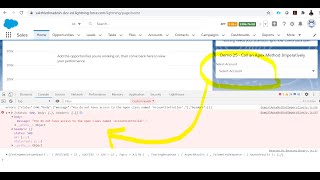
Winter 21 - Restrict Access to @AuraEnabled Apex Methods for Authenticated Users
Winter 21 - Restrict Access to @AuraEnabled Apex Methods for Authenticated Users The video explained the following Items: Action items to enable or disable the…


Marketing Cloud Connect: Syncing Data Back to Sales and Service Cloud
We demo how to expand the capabilities of Marketing Cloud Connect to automatically sync any data from Marketing Cloud over to Sales and Services Cloud.…


Top 5 FAQs' of Salesforce Commerce Cloud
Salesforce Commerce Cloud, formerly known as Demandware, is a user-friendly and streamlined e-Commerce platform designed with a simple goal to help a company expand its…
