
-
How to create a button in Quick Action of page layout in Salesforce?
How to create a button in Quick Action of page layout in Salesforce?

Log In to reply.

Popular Salesforce Blogs

ViewAllCampaignMembers report for Salesforce Lightning
"Campaign call down" report in Salesforce Lightning The "Campaign call down" report doesn't seem to be working in the Salesforce Lightning Experience and so our…


3 Ways Salesforce is Driving the EdTech Industry in 2023
Salesforce is a cloud-based customer relationship management (CRM) platform that is driving several technology trends in education. The company’s products are used by millions of…


Benefits of Salesforce Implementation for Healthcare
Are you planning to implement Salesforce or still wondering if it will make sense to have expert Salesforce implementation services for healthcare? With an aim…

Popular Salesforce Videos

Is Salesforce Career Recession Proof?
Is Salesforce Career Recession Proof? Watch this video and get all the knowledge about the Salesforce industry. Join this useful group for Salesforce job &…

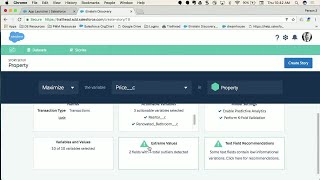
Add Intelligence to Any Salesforce App with Einstein Discovery
Bring intelligence in the context on any Force.com app thanks to the power of Einstein Data Discovery. Any Salesforce Admin or Developer can add in…


Salesforce Interview Questions and Answers - For Freshers and Experienced Candidates
Learn most important Salesforce Interview Questions and Answers, asked at every interview. These Interview questions will be useful to all entry-level candidates, beginners, interns, and…
