Toggle Side Panel

  • Home
  • Articles
    • All Articles
    • Blogs
    • Videos
    • Infographics
  • Consultants
    • Salesforce Product Expertise
      • Top Salesforce ConsultantsTop Salesforce Consultants
      • Marketing Cloud ConsultantsMarketing Cloud Consultants
      • Service Cloud ConsultantsService Cloud Consultants
      • Experience Cloud ConsultantsExperience Cloud Consultants
      • Analytics Cloud ConsultantsAnalytics Cloud Consultants
    • Salesforce Industry Expertise
      • Non-Profit Cloud ConsultantsNon-Profit Cloud Consultants
      • Financial Service Cloud ConsultantsFinancial Service Cloud Consultants
      • Health Cloud ConsultantsHealth Cloud Consultants
      • Commerce Cloud ConsultantsCommerce Cloud Consultants
      • Manufacturing Cloud ConsultantsManufacturing Cloud Consultants
    • Salesforce Experts by Location
      • USATop Salesforce Consultants in USA
      • IndiaTop Salesforce Consultants in India
      • AustraliaTop Salesforce Consultants in Australia
      • United KingdomTop Salesforce Consultants in UK
      • CanadaTop Salesforce Consultants in Canada
  • Webinars
  • Contact Us
  • Discussions
More options
    Sign in Sign up
    • Home
    • Articles
      • All Articles
      • Blogs
      • Videos
      • Infographics
    • Consultants
      • Salesforce Product Expertise
        • Top Salesforce ConsultantsTop Salesforce Consultants
        • Marketing Cloud ConsultantsMarketing Cloud Consultants
        • Service Cloud ConsultantsService Cloud Consultants
        • Experience Cloud ConsultantsExperience Cloud Consultants
        • Analytics Cloud ConsultantsAnalytics Cloud Consultants
      • Salesforce Industry Expertise
        • Non-Profit Cloud ConsultantsNon-Profit Cloud Consultants
        • Financial Service Cloud ConsultantsFinancial Service Cloud Consultants
        • Health Cloud ConsultantsHealth Cloud Consultants
        • Commerce Cloud ConsultantsCommerce Cloud Consultants
        • Manufacturing Cloud ConsultantsManufacturing Cloud Consultants
      • Salesforce Experts by Location
        • USATop Salesforce Consultants in USA
        • IndiaTop Salesforce Consultants in India
        • AustraliaTop Salesforce Consultants in Australia
        • United KingdomTop Salesforce Consultants in UK
        • CanadaTop Salesforce Consultants in Canada
    • Webinars
    • Contact Us
    • Discussions
    Close search

    7 Best Enhancements Coming to Salesforce Field Users with Resco’s Winter Update ‘18

    Barbora Dec 17, 2018
    2,840  Views

    The air is getting colder and the countdown for the Holidays begins. That must mean one thing, it’s the Winter Updates time!

    A decade ago, Resco (now a Salesforce ISV partner) brought a solution for field users. And now, everyone who does a big part of his/her job on the go can use Salesforce data on phones and tablets. Without limits, even with zero connection.

    This year’s 4th Update of Resco’s Mobile Business Apps Platform just came to town! This release is packed with a handful of enhancements for Salesforce field users, alongside the other.

    Here they come:

    Easy mobile projects creation — with Sales, Field Service, and Inspection templates

    All Salesforce users are now able to work with an out-of-the-box Resco app with a pre-defined set of standard objects. There is an option to select from mobile projects when creating a new project in the Woodford configuration tool. Each project is for a case-specific scenario and can be further configured. Get better closure in this blog post about the templates.
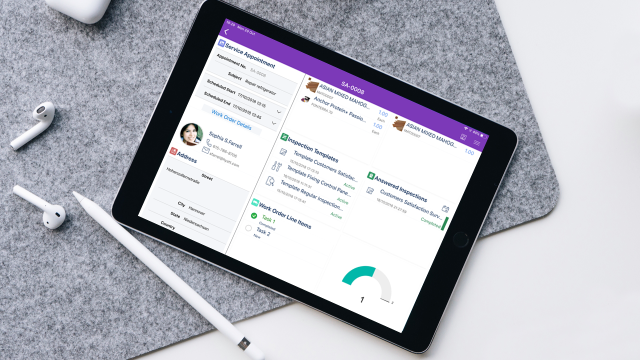
    Metadata update via Woodford is no longer required when adding new users to Salesforce

    Admins can create new users and profiles to the Resco app with no need for Woodford metadata update. Changes like this — made within their Salesforce organization are automatically updated in the app as well, saving time to system admins.

    Custom Fonts

    Admins can now upload custom font libraries into Woodford. You can give your app the look it deserves, with custom objects, custom commands, buttons, icons and now custom fonts too! The app can be set to use these new fonts in fields across list views and forms.

    Entity = Object Hubs

    Hubs combine the records that have something in common. Users can create hubs from standard objects that represent, for instance customers (like Contacts, Accounts and Leads) or group custom objects into one hub. As of the latest release, you can also place each hub you create on a form, as well. It is entirely up to you, how you combine the objects. It all depends on how you use the solution for your business and what makes sense in your case.

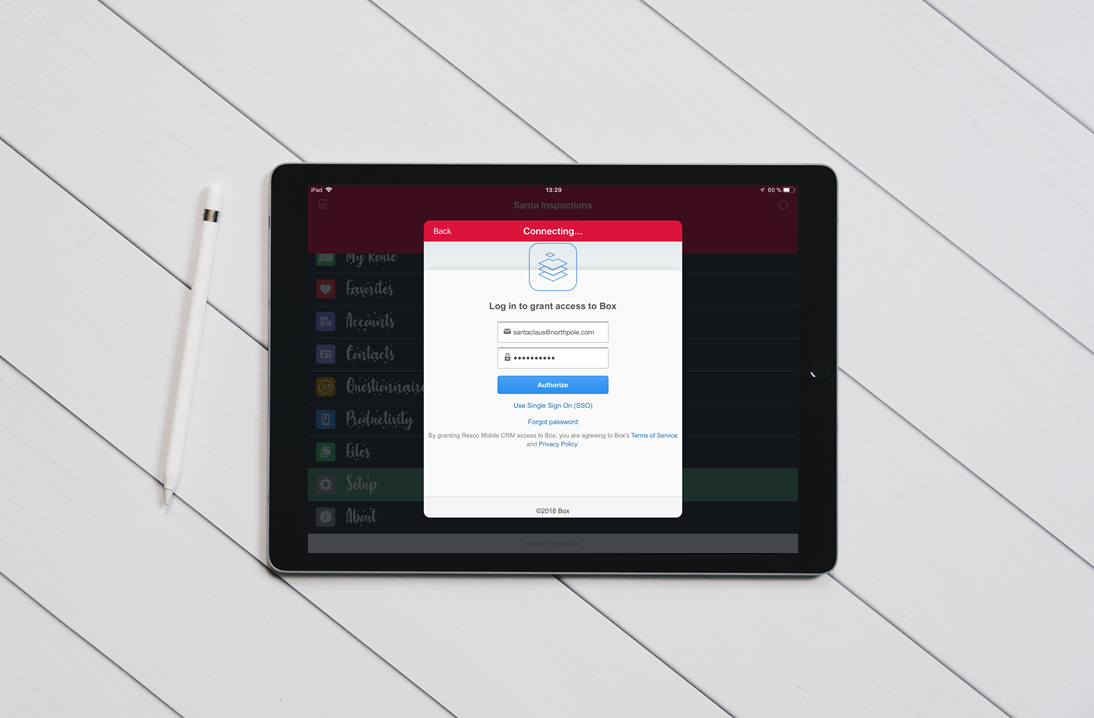
    Support for Box.com

    Box helps organizations to bring scattered files and documents under one roof. It provides a single place to manage, secure, share, and govern the content for company’s internal and external collaboration and processes. Now, it can be integrated with Resco Mobile CRM, or other applications created on Resco’ Mobile Business Apps Platform.
    Signature fields directly from PDF

    The app recognizes available DocuSign signature fields directly in PDFs, so users immediately know where signatures are required.

    Reporting Enhancements to Inspections

    Lookup questions can be now filtered by Salesforce ID, an automatic copy of question value to parent questionnaire’s custom field of the same name. This brings simplified reporting in the Salesforce Einstein Analytics tool to a Salesforce user.

    Check out more about Resco’s Inspections here.

    Categories: Others
    Tagged: CRM, DocuSign, Einstein Analytics Studio, Metadata, Salesforce Accounts, Salesforce Contacts, Salesforce Custom Objects, Salesforce Data, Salesforce Einstein Analytics, Salesforce Field, Salesforce Leads, Salesforce Organization, Salesforce Partner Community, Salesforce Records, Salesforce Users

    Get listed your company

    Have an innovative Salesforce solution that delivers faster, smarter results?
    Join the Marketplace

    [adinserter block=”16″]

    best salesforce consultants
    best salesforce consultants
    best salesforce consultants
    salesforce consultants

    [adinserter block=”10″]

    salesforce consultants

    [adinserter block=”10″]

    salesforce consultants

    [adinserter block=”10″]

    salesforce consultants

    [adinserter block=”10″]

    salesforce consultants
    salesforce consultants

    [adinserter block=”10″]

    salesforce consultants
    salesforce consultants
    Footer Forcetalks logo

    support@forcetalks.com

    • twitterx

    Quick Links

    Advertise with Us

    Salesforce® Articles

    Dreamforce 2023

    Top Salesforce® Bloggers 2023

    Top Salesforce Consultants

    Get Listed

    Company

    Contact Us

    About Us

    Privacy Policy

    Terms & Conditions

    InsightHub

    Salesforce Blogs

    Salesforce Videos

    Salesforce Groups

    Salesforce Jobs

    © 2026 - Forcetalks ● All Rights Reserved

    Salesforce® is a trademark of Salesforce® Inc. No claim is made to the exclusive right to use “Salesforce”. Any services offered within the Forcetalks website/app are not sponsored or endorsed by Salesforce®.

    Try AuditMyCRM - It is a Salesforce CRM Audit tool which comprehensively scans your Salesforce org and gives you the list of errors or warnings you need to take care of.
    We use cookies to enhance your browsing experience. Please see our privacy policy if you'd like more information on our use of cookies.