

How To Make Dynamic Search Using Salesforce Lightning and Regular Expression?

Hello guys,
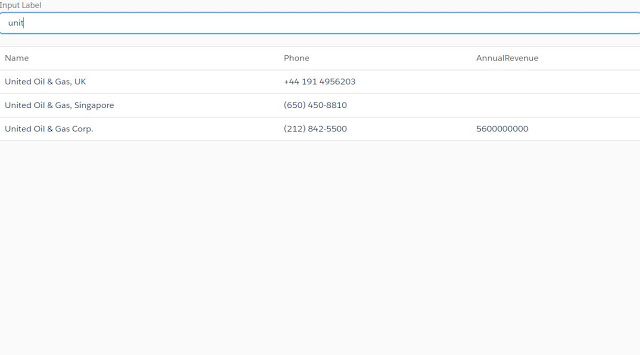
Today, I am sharing the code, that, how you can implement Dynamic Search using Lightning Component, the output is similar to the previous post, but the strategy is different. Here I am going to use JavaScript Library called Regular Expression, name as, regex. And I am also going to use lightning:datatable.
For this task, we need three things:-
- Lightning Component Bundle
- A Lightning Application Bundle
- An Apex Controller.
First, let's create an apex controller:-
public class AccountShowController {
    @AuraEnabled
    public static List showAccounts(){
        return [SELECT Id, Name, Phone, AnnualRevenue From Account];
    }
}
Let's now create our Lightning Component( AccountShowUsingJS.cmp)-
<aura:component controller="AccountShowController">
<aura:attribute name="Account" type="Account[]"></aura:attribute></aura:component>
Search Account
JS Controller:-
({myAction : function(component, event, helper) {
	component.set(‘v.columns’,
	[
	{label: ‘Account name’, fieldName: ‘Name’, type: ‘text’},
	{label: ‘Phone’, fieldName: ‘Phone’, type: ‘number’},
	{label: ‘Annual Revenue’, fieldName: ‘AnnualRevenue’, type: ‘number’}
	]
	);
	var action = component.get(“c.showAccounts”);
	action.setCallback(this, function(response){
		var state=response.getState();
		if(state === ‘SUCCESS’){
			component.set(“v.Account”, response.getReturnValue());
			component.set(“v.AccountDuplicate”, response.getReturnValue());
		} else {
			alert(“error”);
		}
	});
	$A.enqueueAction(action);
	},
	SearchAccount : function(component, event, helper) {
	    //var searchKey = component.get(“v.SearchKey”);
		var term = component.get(“v.SearchKey”);
		var data = component.get(“v.AccountDuplicate”);
	    //component.set(“v.Account”, data);
		console.log(term);
		var results = data, regex;
		try {
			console.log(“inside try”);
			regex = new RegExp(term, “i”);

			// filter checks each row, and the constructs new array where function returns true
			results = data.filter(row=>regex.test(row.Name));
			console.log(‘results:-‘+JSON.stringify(results));
		} catch(e) {
			// invalid regex, use full list
		}
		component.set(“v.Account”, results);
	}
})
An application component(Trial.app):-
<aura:application extends="force:slds"></aura:application>
Output-
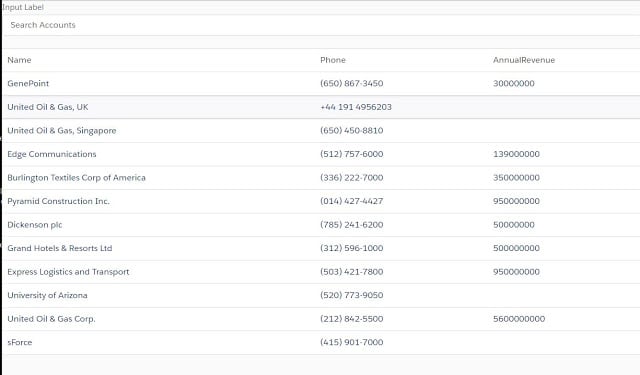
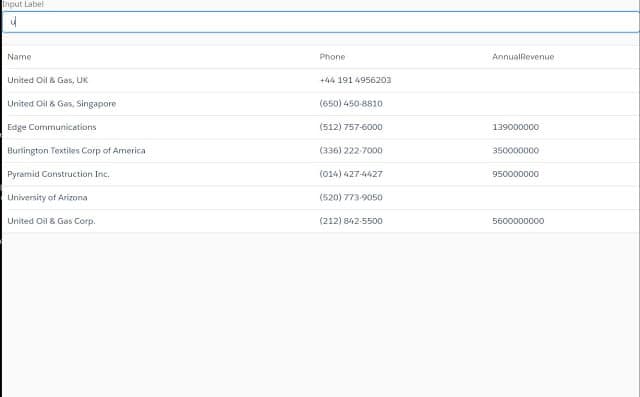
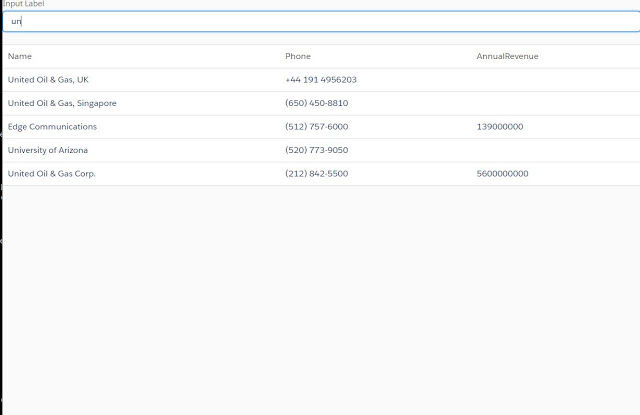
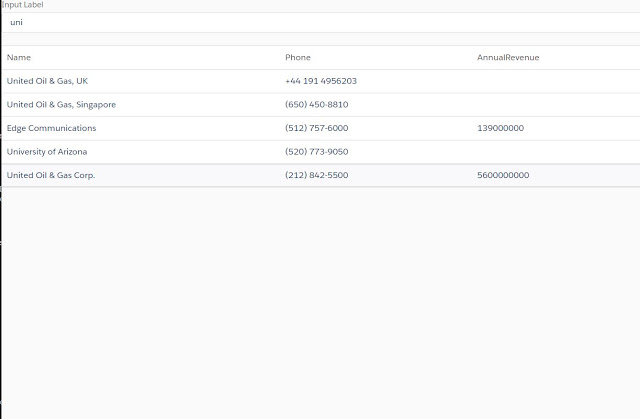
Thanks.
Happy Coding.


