
-
How to remove single and multi-line comments from a string in Salesforce apex?
How to remove single and multi-line comments from a string in Salesforce apex?


Log In to reply.

Popular Salesforce Blogs

Effective Ways To Use Salesforce For Customer Retention
Why is Customer Retention Important? When techniques are implemented by way of sales groups to hold clients, revenue is going up and fees go down.…


Email Alert Through Flow Element | Salesforce Guide
There are two ways to send an Email Alert to anyone. 1. Standard Email Alert: In this type of email alert, we have to…


Common Salesforce User Engagement Issues In The Workplace
The success of the Salesforce implementation depends on how efficiently its end users are using the platform. Any Salesforce user engagement issues can cause serious…

Popular Salesforce Videos
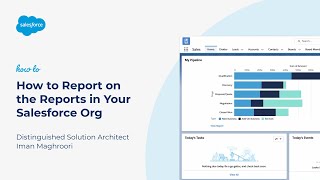
How to Report on the Reports in Your Salesforce Org
Do you want a list of all the reports in your Salesforce org? Would you like to see a list of reports and the last…


Campaigns in Salesforce | Salesforce Tutorial
Salesforce describes campaigns as “a marketing tactic (or series of tactics) that are designed to achieve specific goals such as increased revenue, leads, adoption, etc.”…

Getting started with salesforce
Salesforce is a customer relationship management solution that brings companies and customers together. It's one integrated CRM platform that gives all your departments — including…
