
-
How immediate attribute work on CommandLinks and CommandButtons in Salesforce?
How immediate attribute work on CommandLinks and CommandButtons in Salesforce?


Log In to reply.

Popular Salesforce Blogs

How to Make Communities Faster? What are the Required Tools for This?
As businesses and organizations expand, the need to manage and maintain multiple systems becomes increasingly necessary. Often, data needs to be shared across systems, and…


Salesforce Spring '25 Highlights
Spring is around the corner, and so is Salesforce’s Spring '25 Release update. Let us plant seeds of efficiency and effectiveness in your mind while…


Salesforce AppExchange - A Brief Guide
Salesforce is the world's leader in CRM due to the variety of customer process that enables the platform with out of the box modules. Salesforce…

Popular Salesforce Videos
Create and Format Derived Measures
In the explorer, you can perform calculations on existing measures and use the results to create a new measure that’s not part of your dataset.…


What is Salesforce Apex Trigger | When to use Salesforce Apex Trigger | Type of Salesforce Apex Trigger
In this video, we are going to learn some basic concepts of Apex trigger. Below is the Agenda. Video Resource: SFDC Panther

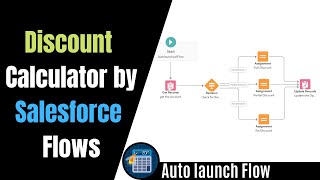
Build a Discount Calculator | Trailhead - Autolaunched Flow Salesforce Example
In this video, I'm creating a Discount Calculator with the help of Salesforce Flow to Automate Your Business Processes with Lightning Flow. So it's a…
