
-
How to detect in which Salesforce environment I am working?
How to detect in which Salesforce environment I am working?


Log In to reply.

Popular Salesforce Blogs

What are Salesforce Flows? | All You Need to Know
Salesforce Flows Salesforce Flow, formerly known as Visual Workflow, is a cloud-based automation tool provided by Salesforce. It allows users to create and automate business…


Difference between a Salesforce Admin & Developer
In the fast paced world of customer relationship management (CRM) Salesforce stands as a robust platform. Its robust platform empowers organizations to manage relationships &…


Apex Trigger In Salesforce - The Developer Guide
Apex Trigger in Salesforce A trigger is an Apex script which executes before or after DML events occur. Apex triggers enable you to work on…

Popular Salesforce Videos
Salesforce + WhatsApp Integration Announcement
Salesforce + WhatsApp Integration Announcement. Watch this video to learn all about the famous Salesforce + WhatsApp integration, if you have any doubts or concerns,…

Video calling in Salesforce using WebRTC
Enhance your contact center offering by integrating WebRTC video calling directly into Salesforce Service Cloud. This video will guide you in understanding how you can…

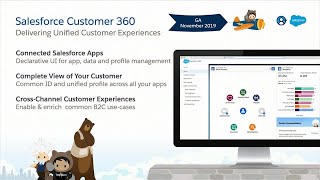
How to Integrate Commerce, Marketing and Service Using Salesforce Customer 360
Developers, Integrators, Admins and Architects all work together to deliver projects that span multiple Salesforce products. Salesforce is making it simpler by providing native integration…