

Salesforce Lightning Ready Toggle

Nowadays most of the salesforce projects are shifted to Lightning Ready and jQuery acts as a very good tool while designing Lightning Ready Pages. In this blog, we are going to learn how to create Lightning Ready Toggle.
_________________________
Requirements:
# <!--jQuery CDN-->
<script src="https://ajax.googleapis.com/ajax/libs/jquery/1.12.4/jquery.min.js"></script>
# <!--Salesforce Lightning Design System Static Resource-->
Download the Design System Zip.
<apex:stylesheet value="{!URLFOR($Resource.manpreet2050, 'assets/styles/salesforce-lightning-design-system-vf.min.css')}" />
Upload the zip file named manpreet2050 as your Static Resource.
# <apex:slds />
# <html xmlns="http://www.w3.org/2000/svg" xmlns:xlink="http://www.w3.org/1999/xlink"> for SVG's Support.
# Set the StandardStylesheets to false and doctype to html-5.0 


_________________________________________________________________________________
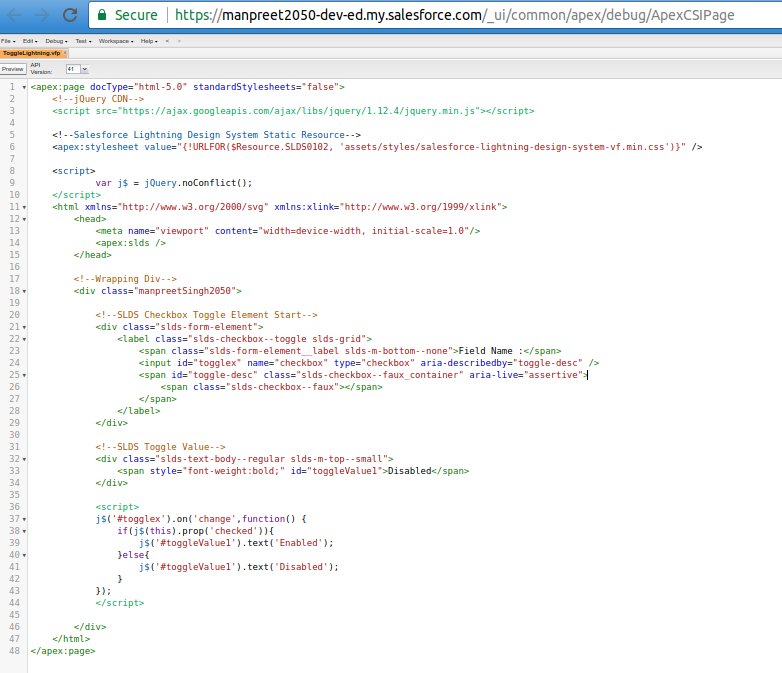
_________________________
Reference Code :
<apex:page docType=”html-5.0″ standardStylesheets=”false”>
    <!–jQuery CDN–>
    <script src=”https://ajax.googleapis.com/ajax/libs/jquery/1.12.4/jquery.min.js”></script>
    <!–Salesforce Lightning Design System Static Resource–>
    <apex:stylesheet value=”{!URLFOR($Resource.SLDS0102, ‘assets/styles/salesforce-lightning-design-system-vf.min.css’)}” />
    <script> var j$ = jQuery.noConflict(); </script>
    <html xmlns=”http://www.w3.org/2000/svg” xmlns:xlink=”http://www.w3.org/1999/xlink”>
        <head>
            <meta name=”viewport” content=”width=device-width, initial-scale=1.0″/> <apex:slds />
        </head>
        <!–Wrapping Div–>
        <div class=”manpreetSingh2050″>
            <div class=”slds-form-element”>
                <label class=”slds-checkbox–toggle slds-grid”>
                    <span class=”slds-form-element__label slds-m-bottom–none”>Field Name :</span>
                    <input id=”togglex” name=”checkbox” type=”checkbox” aria-describedby=”toggle-desc” />
                    <span id=”toggle-desc” class=”slds-checkbox–faux_container” aria-live=”assertive”>
                        <span class=”slds-checkbox–faux”></span>
                    </span>
                </label>
            </div>
            <!–SLDS Toggle Value–>
            <div class=”slds-text-body–regular slds-m-top–small”>
                <span style=”font-weight:bold;” id=”toggleValue1″>Disabled</span>
            </div>
            <script>
                j$(‘#togglex’).on(‘change’,function() {
                    if(j$(this).prop(‘checked’)){
                        j$(‘#toggleValue1’).text(‘Enabled’);
                    } else {
                        j$(‘#toggleValue1’).text(‘Disabled’);
                    }
                });
            </script>
        </div>
    </html>
</apex:page>
_________________________
“YOU WANT ME TO PUT MY HAMMER DOWN! LIGHTNING IS MY NEW POWER". 


