
-
How to transfer the ownership of Salesforce managed package back to us(Since it is developed by a 3rd party)?
"Hi all,
I have a question regarding SFDC managed package (installed package to our production org already). Since this managed package been developed by a 3rd party, and just wondering how to transfer the ownership back to us in an easy way? As what we looking for is continue develop this manage package on our own. I searched around, and it seems only something force.com migration tool - Java-Ant-based command-line utility for developing environment change. So, I am wondering if the ownership change just simply like change login credential (username/password) to our own?
Thanks in advance."Question asked by ROSS BAI on Linkedin


Log In to reply.

Popular Salesforce Blogs

What worries Salesforce Users most when using their Orgs in 2024?
Salesforce is a robust platform for digitizing business operations and automating processes in an organization. However, issues sometimes arise when running the platform. I asked…


Advice on Launching a Lucrative Career as a Salesforce Consultant
What is a Salesforce Consultant? When adopting Salesforce within an organization, Salesforce consultants are necessary. They support Salesforce project design, planning, and implementation. A thorough…


What Role Does Salesforce Play in High-Tech Success?
The high-tech sector is experiencing explosive growth, emerging as a global economic powerhouse. Projections indicate that this industry's global market value will rise to $16…

Popular Salesforce Videos

Salesforce Mobile Publisher Demo
With Salesforce Mobile Publisher, you can create pixel-perfect mobile applications for employees, customers, and partners. Check out this video and learn all you need to…


ChartJs Implementation In Salesforce
This was my very first lightning web component I had made on my own. Thought of sharing it 🙂 This component basically shows the no.…

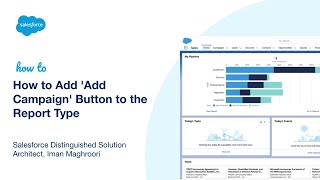
How to Add 'Add Campaign' Button to the Report Type | Salesforce Tutorial
Do you want to know How to Add 'Add Campaign' Button to the Report Type in Salesforce? In this session, Distinguished Architect Iman Maghroori shows…
