
-
Is there any way to show the webpage in the flow ?
Hi All,
Is there any way to show the webpage in the flow ?
Thanks

Log In to reply.

Popular Salesforce Blogs

Leveraging Salesforce’s Complimentary Data Cloud and Tableau Licenses
In the ever-evolving landscape of business, access to valuable data insights and powerful analytics tools is essential for sustainable growth. Salesforce, a leader in customer…


When is the Right Time to Migrate to Salesforce Lightning Experience?
Oh! You are here, which means you are intrigued and excited about Salesforce Lightning experience. Let’s start with a general question that’s on everyone’s mind:…


Why Manual Business Processes Continue to Slow Enterprise Growth
Every growing business reaches a point where its internal operations determine whether it can continue scaling successfully. While companies invest heavily in customer acquisition, digital…

Popular Salesforce Videos

Salesforce Career Personality Quiz
Which Salesforce career path is right for you? Take this 23 question quiz to learn which Salesforce career is the best match for your personality…


Integrating Salesforce Data Cloud With Other Clouds
In this extract, our speakers discussed the integration capabilities of the Salesforce Data Cloud with other clouds. Salesforce data cloud integrates with a wide range…

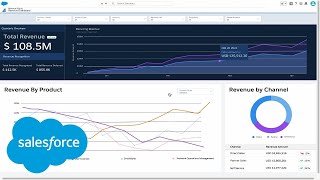
A Closer Look at Revenue Cloud | Salesforce
Watch this demo to learn how Revenue Cloud can help you take control of revenue growth across every channel including direct sales, partners, and digital…