
-
Popup on change of status to not booked on opportunity page.
<aura:component implements="flexipage:<wbr>availableForRecordHome,force:<wbr>hasRecordId,force:<wbr>lightningQuickActionwithouthea<wbr>der" access="global" >
<aura:attribute name="opportunityRecord" type="Opportunity"/>
<aura:attribute name="recordError" type="String"/>
<aura:attribute name="showPopup" type="Boolean" default="false" />

<force:recordData aura:id="opportunityRecordCmp"
recordId="{!v.recordId}"
fields="Id,StageName,<wbr>ForecastCategoryName, LeadSource,<wbr>DeliveryInstallationStatus__c,<wbr>Description"
targetFields="{!v.<wbr>opportunityRecord}"
recordUpdated="{!c.showPopup}"
targetError="{!v.recordError}"
mode ="EDIT"/>

<!-- Here we wrapped our modal code inside aura:if. If it evaluates true, code inside it will be visible -->
<aura:if isTrue="{!v.showPopup}" >

<div class="demo-only" style="height: 100px;">
<section role="dialog" tabindex="-1" aria-labelledby="modal-<wbr>heading-01" aria-modal="true" aria-describedby="modal-<wbr>content-id-1" class="slds-modal slds-fade-in-open">
<div class="slds-modal__container">
<!-- Header of Modal -->
<!-- Body of Modal -->
<div class="slds-modal__content slds-p-around_medium" id="modal-content-id-1">
<!-- Display an editing form -->
<div class="Record Details">
<lightning:card title="close Opportunity">
<div class="slds-p-horizontal--<wbr>small">
<lightning:input label="LeadSource" value="{!v.opportunityRecord.<wbr>LeadSource}"/>
<lightning:select name="<wbr>DeliveryInstallationStatus__c" label="<wbr>DeliveryInstallationStatus" value="{!v.opportunityRecord.<wbr>DeliveryInstallationStatus__c}<wbr>">
<option value="">choose one...</option>
<option value="In progress">In progress</option>
<option value="Yet to begin">Yet to begin</option>
<option value="Completed">Completed</<wbr>option>
</lightning:select>

<lightning:input type="string" name="Description" label="Description" value="{!v.opportunityRecord.<wbr>Description}"/>

</div>
</lightning:card>
</div>
</div>
<!-- Footer of Modal -->
<footer class="slds-modal__footer">
<lightning:button variant="brand" label="OK" title="Save" onclick="{!c.<wbr>handleSaveCampaign}" />
<lightning:button variant="brand" label="Cancel" title="Cancel" onclick="{! c.handleCancel }" />
</footer>
</div>
</section>
<!-- Backdrop to set background slightly opaque. -->
<div class="slds-backdrop slds-backdrop_open"></div>
</div>
</aura:if>
<!--End of Modal Footer-->
<!-- Display Lightning Data Service errors, if any -->
<aura:if isTrue="{!not(empty(v.<wbr>recordError))}">
<div class="recordError">
<ui:message title="Error" severity="error" closable="true">
{!v.recordError}
</ui:message>
</div>
</aura:if>
</aura:component>
==============================<wbr>======================
controller.js code:
({

showPopup:function(component, event, helper) {
var changeType = event.getParams().changeType;

if (changeType === "CHANGED" && (('StageName' in event.getParams().<wbr>changedFields))) {
var newStageName = event.getParams().<wbr>changedFields.StageName.value;
var oldStageName = event.getParams().<wbr>changedFields.StageName.<wbr>oldValue;
if((newStageName == 'Closed Lost') && newStageName != oldStageName){
component.set('v.showPopup',<wbr>true);
}
}
},

handleOk:function(component, event, helper) {

component.set('v.showPopup',<wbr>false);

},

handleCancel : function(component, event, helper) {
component.set('v.showPopup',<wbr>false);
},
handleSaveCampaign: function(component, event, helper) {
component.find("<wbr>opportunityRecordCmp").<wbr>saveRecord(function(<wbr>saveResult) {
if (saveResult.state === "SUCCESS" || saveResult.state === "DRAFT") {
// record is saved successfully
var resultsToast = $A.get("e.force:showToast");
resultsToast.setParams({
"title": "Saved",
"message": "The record was saved."
});
resultsToast.fire();

} else if (saveResult.state === "INCOMPLETE") {
// handle the incomplete state
console.log("User is offline, device doesn't support drafts.");
} else if (saveResult.state === "ERROR") {
// handle the error state
console.log('Problem saving campaign, error: ' + JSON.stringify(saveResult.<wbr>error));
} else {
console.log('Unknown problem, state: ' + saveResult.state + ', error: ' + JSON.stringify(saveResult.<wbr>error));
}
component.set('v.showPopup',<wbr>false);

});
}

})
Log In to reply.

Popular Salesforce Blogs


Streamline Product Roadmap through Salesforce Service Cloud and Jira Integration
Being a product manager has its perks, but the job also has its challenges. Most of the time goes into product road-mapping and coordinating with…


MuleSoft and Salesforce Integration: How to Build a Connected Enterprise Ecosystem
Modern enterprises rarely depend on a single application to manage their operations. Businesses use Salesforce for customer relationship management, ERP platforms for finance and operations,…

Popular Salesforce Videos
GS DevOps Mate: Your Free Flexible Toolkit for Faster & Smoother Salesforce Deployments
Our webinar about GS DevOps Mate: A free, open-source, CI/CD platform agnostic toolkit! Our host is Rohan Gore a Technical Architect here at Groundswell who…


Salesforce Training | Salesforce Jobs For Beginners Video
Salesforce Training Tutorial video provides What is Salesforce and Salesforce jobs and Salesforce careers for beginners. So if you are planning to becoeme a Salesforce…
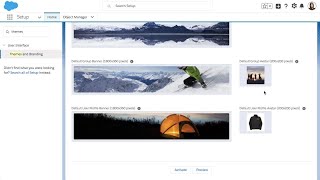
Salesforce Lightning: Custom Theming and Branding
As part of myLightning, Custom Theming and Branding for Lightning Experience lets you customize key styling elements, such as the global header color, brand image,…

Popular Salesforce Infographics

7 Must Know Features on the New Salesforce AppExchange
Personalized recommendations, intelligent search, and new solutions are just a few of the exciting new features on the brand new AppExchange. Check it out at…


How Salesforce Financial Service Cloud Enhance Insurance Services?
Salesforce Financial Services Cloud (FSC) is the #1 AI CRM tool that helps you achieve this goal. Its magical AI-powered services boost customer onboarding and retention and…


7 Must Know Features on the New Salesforce AppExchange
The AppExchange is an online marketplace for Salesforce apps, components, and consulting services. If you're a Lightning Platform developer or consultant, the AppExchange is the…